
Learning About Early Bound Plugin
In Microsoft Dynamics 365 plugin development, developers usually work with generic Entity objects. However, using Early Bound classes makes plugin development more structured and easier to maintain.
Early Bound classes allow developers to access entity attributes using strongly typed properties instead of string-based attribute names.
In this blog we will learn about Early Bound plugin development by implementing an Attendance Plugin that automatically updates attendance status based on the Out Time field.
Introduction to Early Bound in Dynamics 365
To solve this problem, Microsoft Dynamics 365 provides a development approach called Early Bound. Early Bound classes are strongly typed entity classes that are automatically generated from the Dataverse metadata of your environment.
Using Early Bound classes improves plugin development in several ways. It provides strong typing, compile-time validation, and better IntelliSense support inside Visual Studio. This helps developers write cleaner code, reduce runtime errors, and maintain plugins more easily.
In this blog, we will explore how to generate Early Bound classes using the XrmToolBox Early Bound Generator, how to include those classes in a plugin project, and how to use them to build an Plugin that automatically updates the Entities status based on the field.
By the end of this article, you will clearly understand how Early Bound entities simplify Dynamics 365 plugin development and help build reliable automation solutions.
1. Generating Early Bound Classes
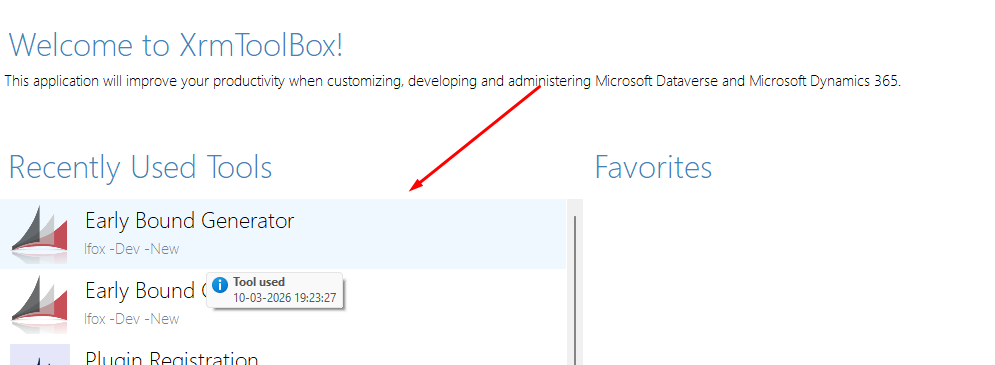
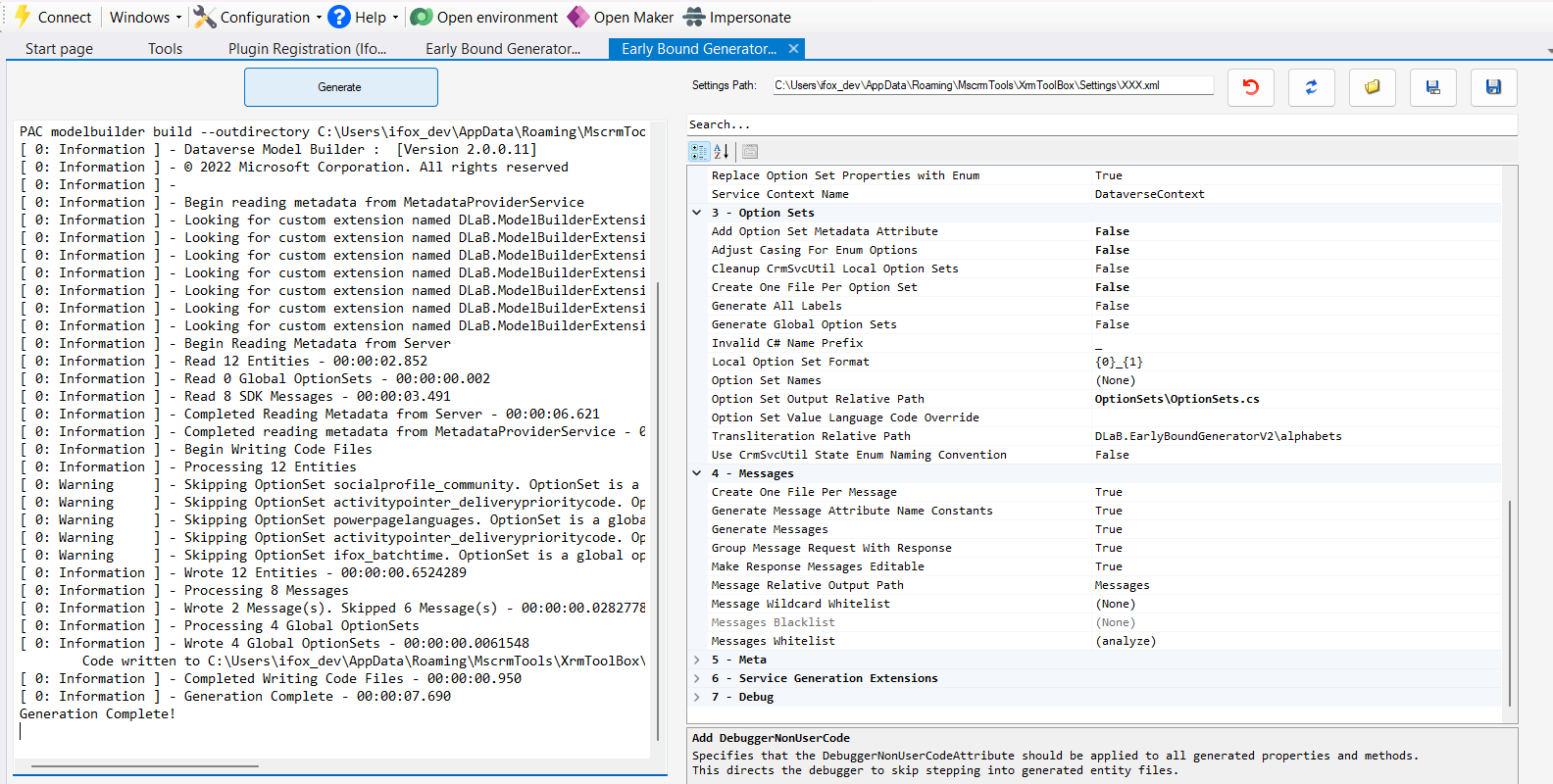
To use Early Bound classes we first generate entity classes using the XrmToolBox Early Bound Generator.
- Open XrmToolBox
- Connect to Dynamics 365
- Select Early Bound Generator
- Choose required entities
- Click Generate
Selecting Only the Required Entities
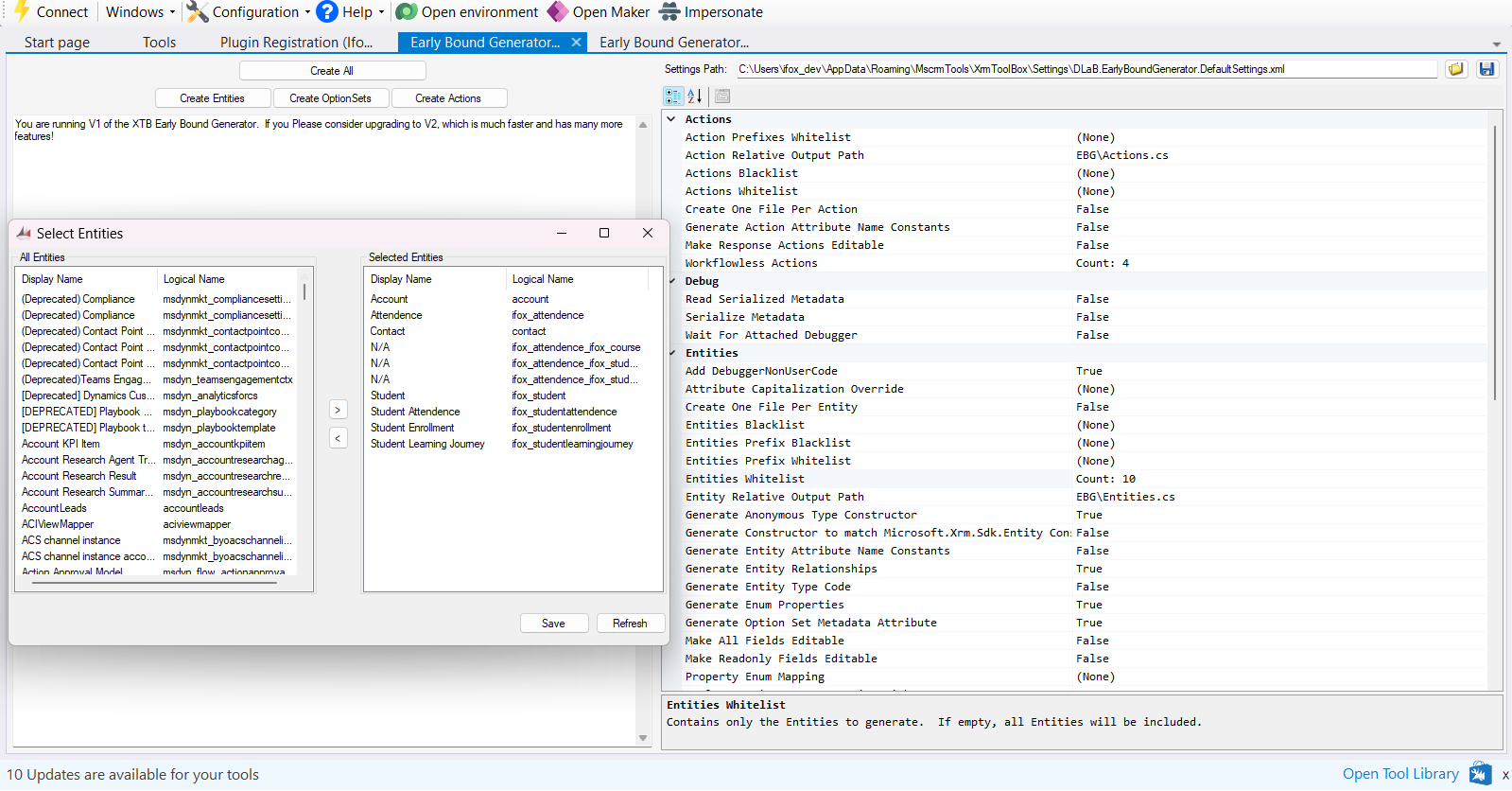
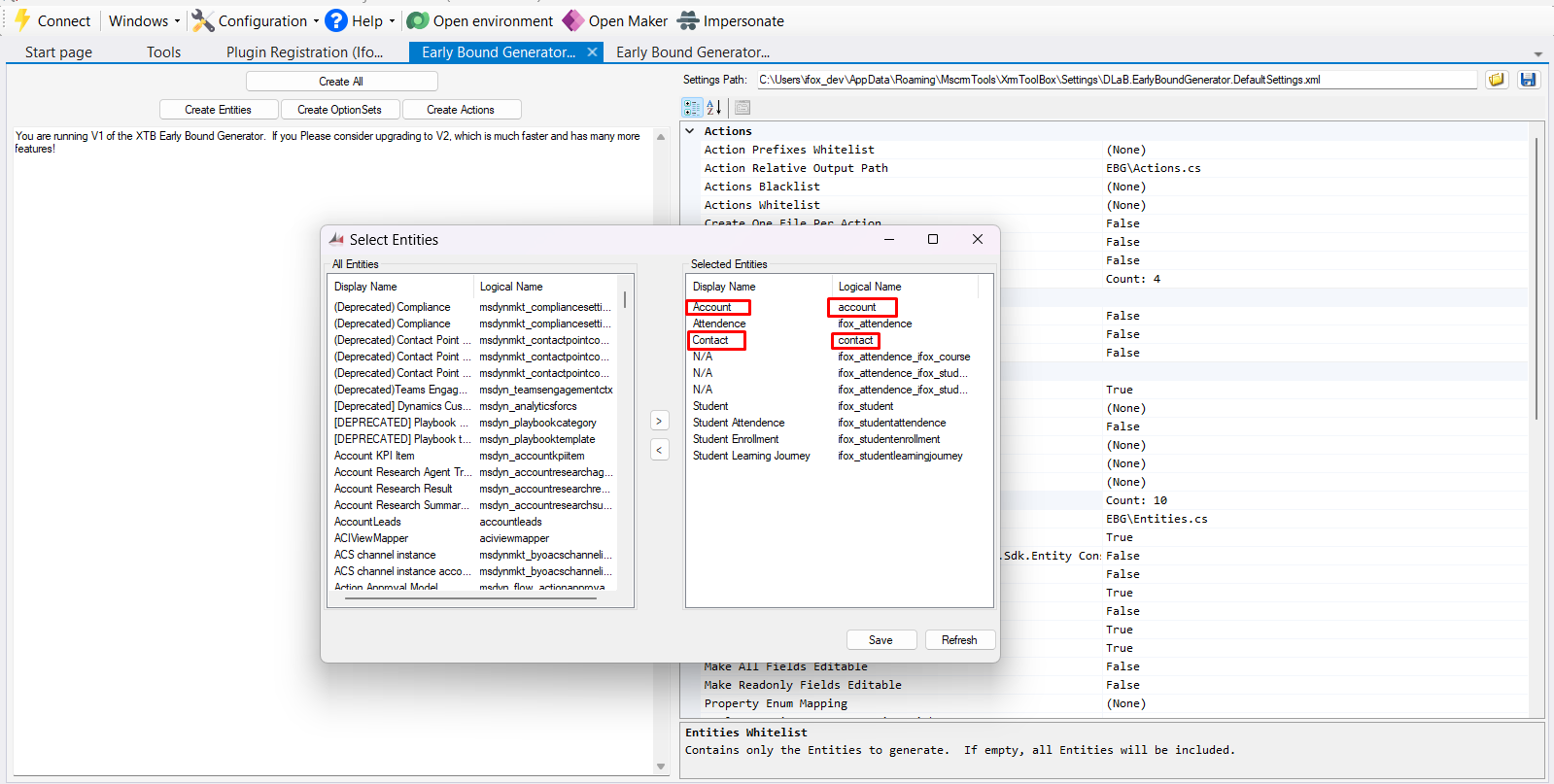
When generating Early Bound classes, we do not need to generate classes for every entity available in the Dynamics 365 environment. Instead, we can simply select only the entities that are required for our current development scenario.
The Early Bound Generator allows developers to choose specific entities from the environment. By selecting only the required entities, the generated code becomes smaller, cleaner, and easier to maintain.
For example, in this implementation we selected entities such as Account, Contact, and a custom entity like Attendance. These entities are enough for implementing the plugin logic used in this example.
Once the Early Bound classes are generated, they can be added into the Visual Studio plugin project. After adding them to the project, these entities can be accessed from anywhere within the plugin code.
For instance, developers can directly work with strongly typed classes like:
- Contact
- Account
This means that even if the plugin logic is written in different classes or files, the generated Early Bound entities can still be used across the entire project.
By using only the required entities and accessing them throughout the project, developers can build more structured and maintainable Dynamics 365 plugins.
2. Using Early Bound Classes in Plugin Code
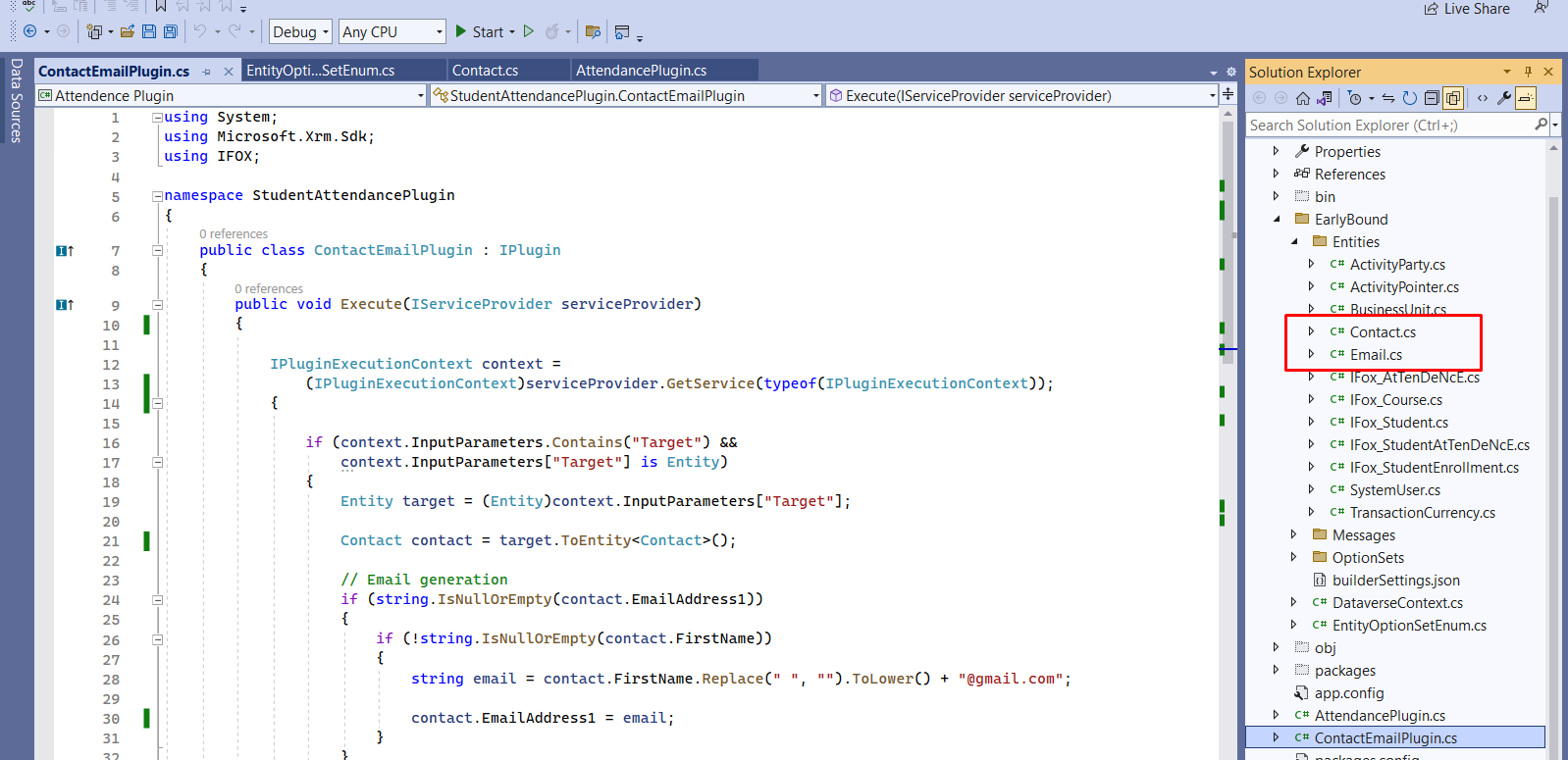
Once Early Bound classes are generated, they can be added to the Visual Studio plugin project.
From Contact and Email Entity We can Directly Get the Data of the user.
Instead of using generic entity attributes like entity["firstname"], we can use strongly typed properties like contact.FirstName.
3. Implementing Contact Plugin Logic Using Early Bound
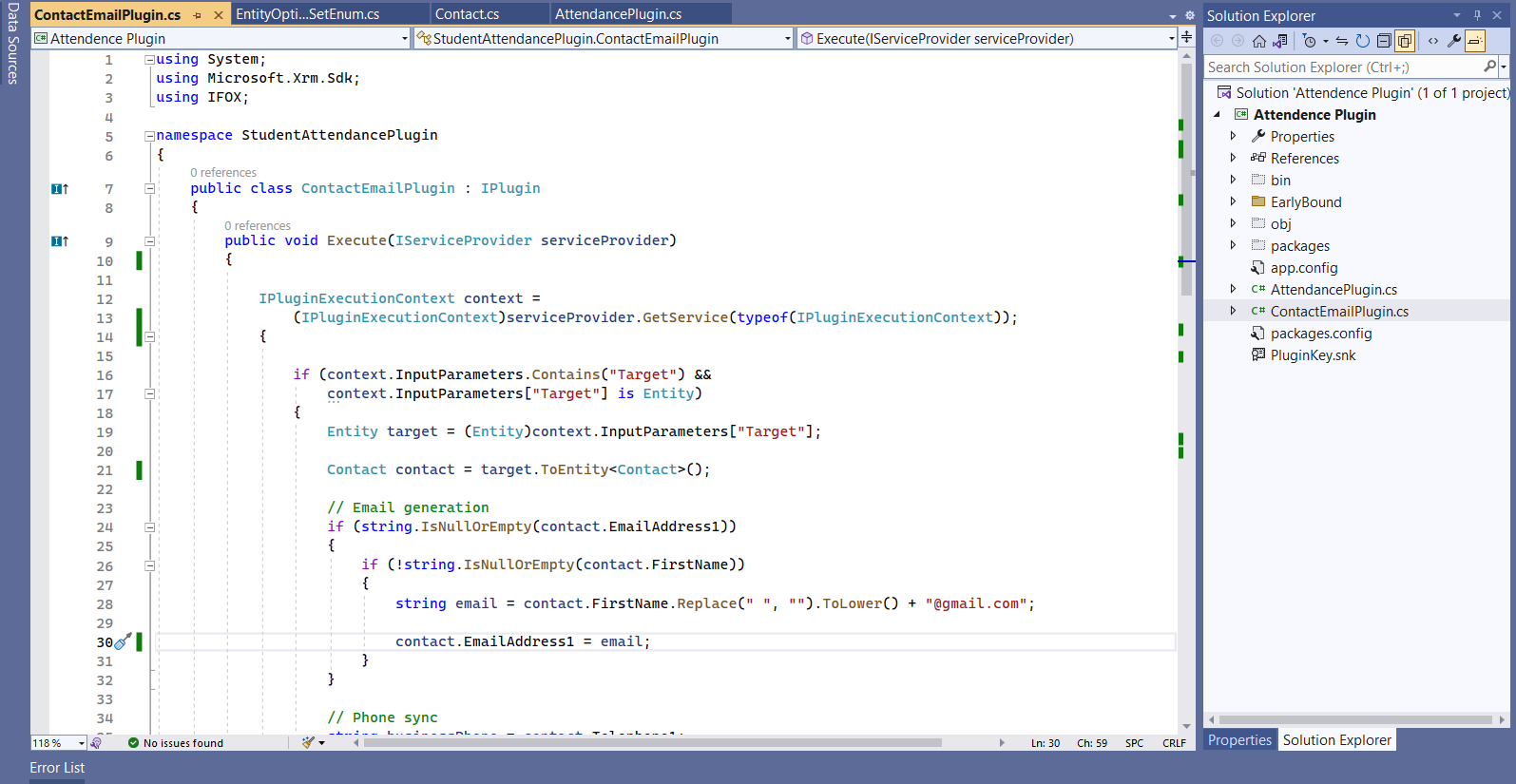
In this example, we implement a plugin that automatically generates an email address and synchronizes phone numbers when a new Contact record is created.
The plugin uses the Contact Early Bound entity generated using the Early Bound Generator. Using Early Bound allows us to directly access entity fields using strongly typed properties such as FirstName, EmailAddress1, Telephone1, and MobilePhone.
The plugin logic works as follows:
- If the Email Address field is empty, the plugin automatically generates an email using the contact's First Name.
- The generated email follows the format: firstname@gmail.com.
- If the Business Phone is provided but the Mobile Phone field is empty, the plugin copies the Business Phone value to the Mobile Phone field.
- If the Mobile Phone is provided but the Business Phone field is empty, the plugin copies the Mobile Phone value to the Business Phone field.
By using this logic, the system ensures that important contact details such as email address and phone numbers are automatically populated without requiring manual updates.
Since the plugin uses Early Bound entities, the code becomes cleaner, easier to read, and less prone to runtime errors compared to using generic entity attributes.
4. Registering the Plugin
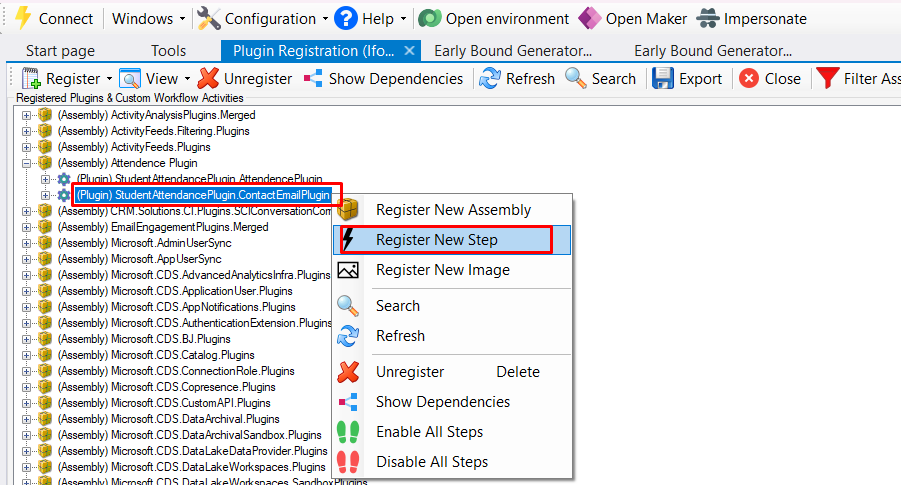
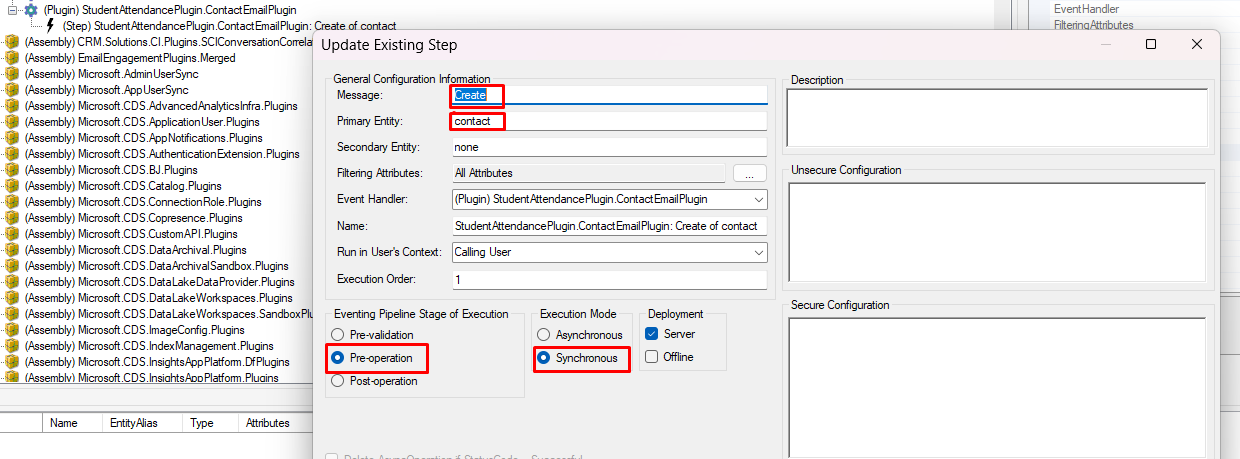
After writing the plugin code, the next step is registering the plugin assembly using Plugin Registration Tool.
- Open Plugin Registration Tool
- Register new assembly
- Select compiled DLL
5. Testing the Plugin
After registering the plugin we test the functionality inside Dynamics 365.
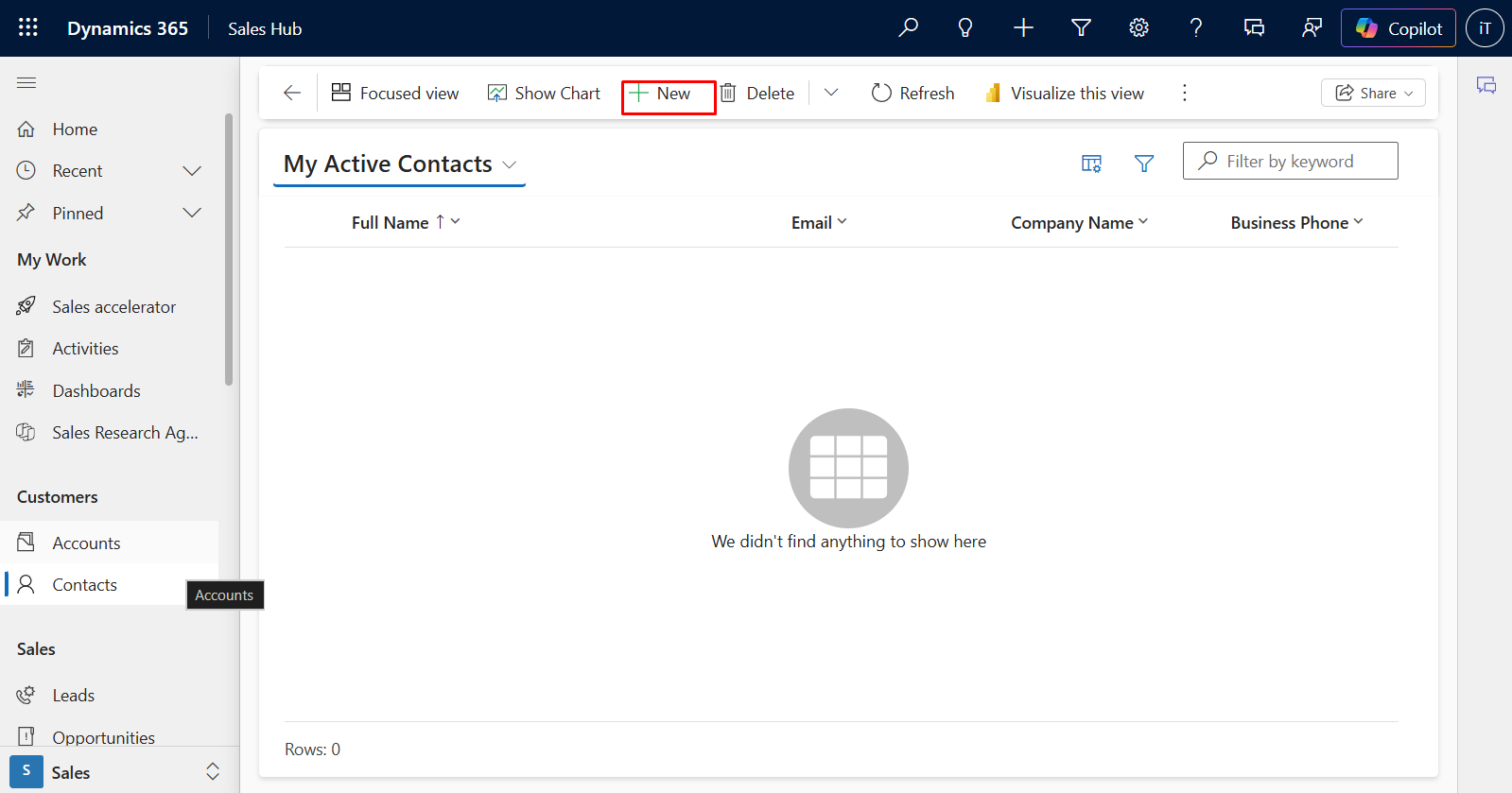
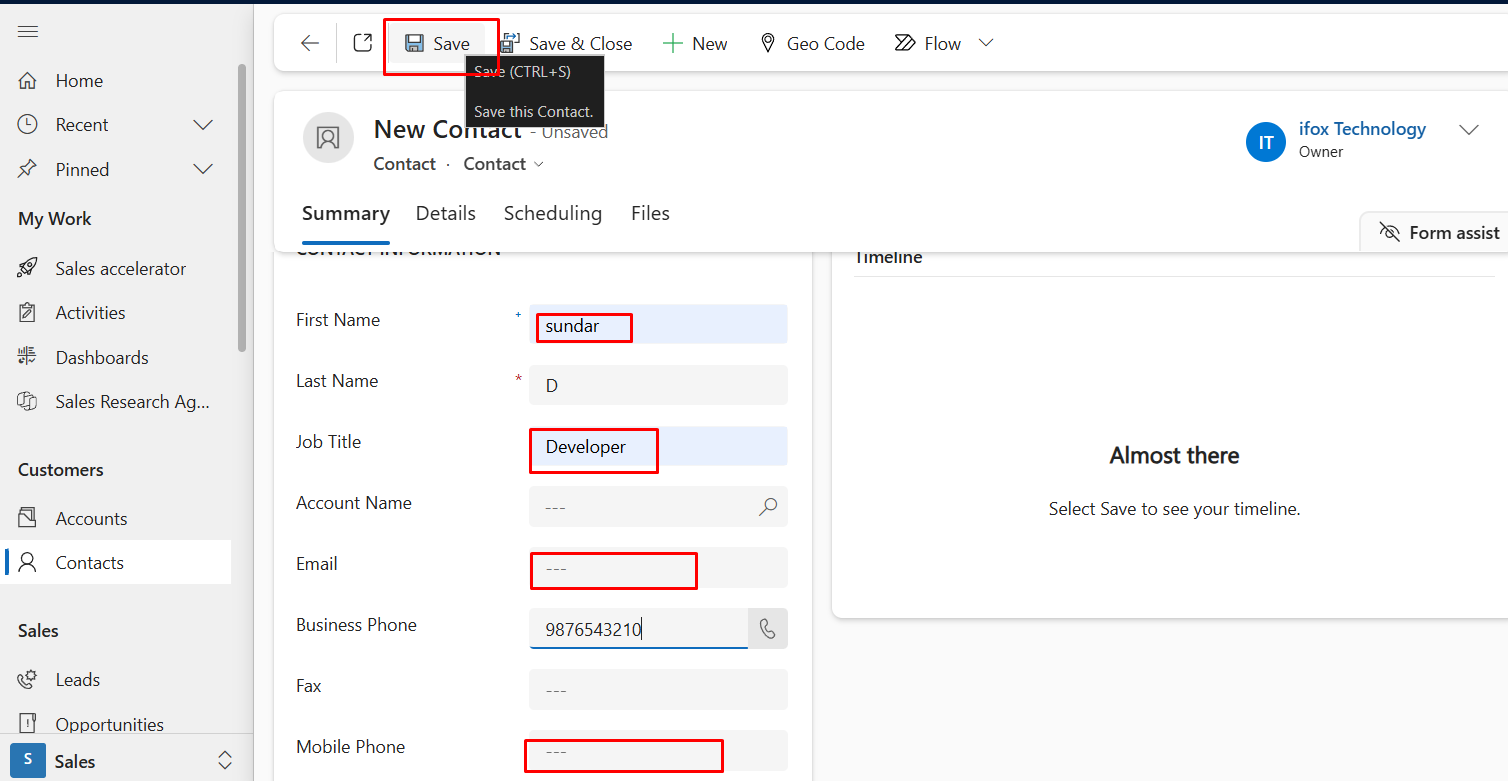
- Create new record
- Enter First Name and Other Details
- Enter Business number or Mobile Number
- Leave Email and Mobile Number
Result
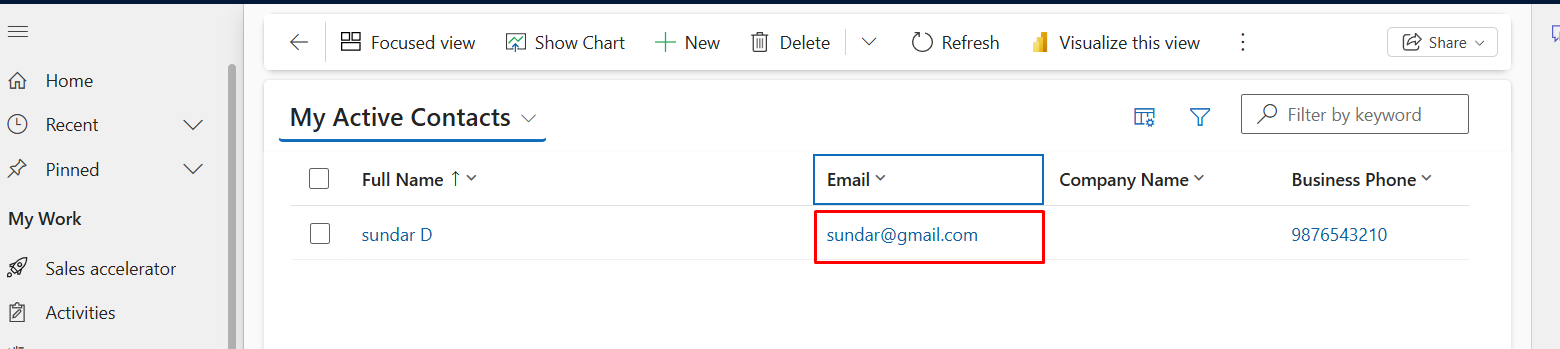
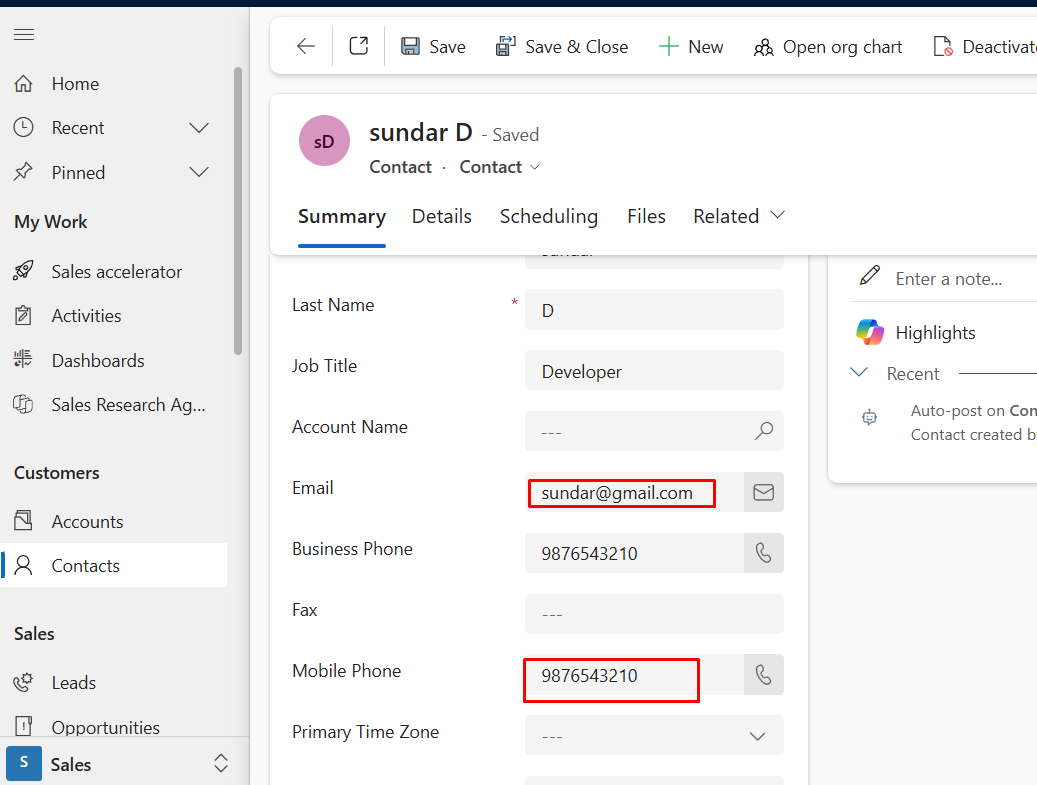
Once the plugin executes successfully, the system automatically generates an email address using the contact's First Name and updates the Mobile Phone or Business Phone fields if any of them are empty.
If the Email Address field is empty, the plugin automatically generates an email in the format firstname@gmail.com.
Similarly, if either the Mobile Phone or Business Phone field is empty, the plugin automatically copies the available phone number to the other field to maintain consistent contact data.
Benefits of Early Bound
- Strongly typed entities
- Better IntelliSense support
- Compile-time validation
- Cleaner plugin code
- Easier maintenance
Conclusion
Early Bound plugin development improves code readability and reliability in Dynamics 365 customization.
By generating entity classes from metadata, developers can write strongly typed plugin code and reduce runtime errors.
Using Early Bound in our Attendance Plugin example helps us maintain clean code and automate attendance status updates efficiently.