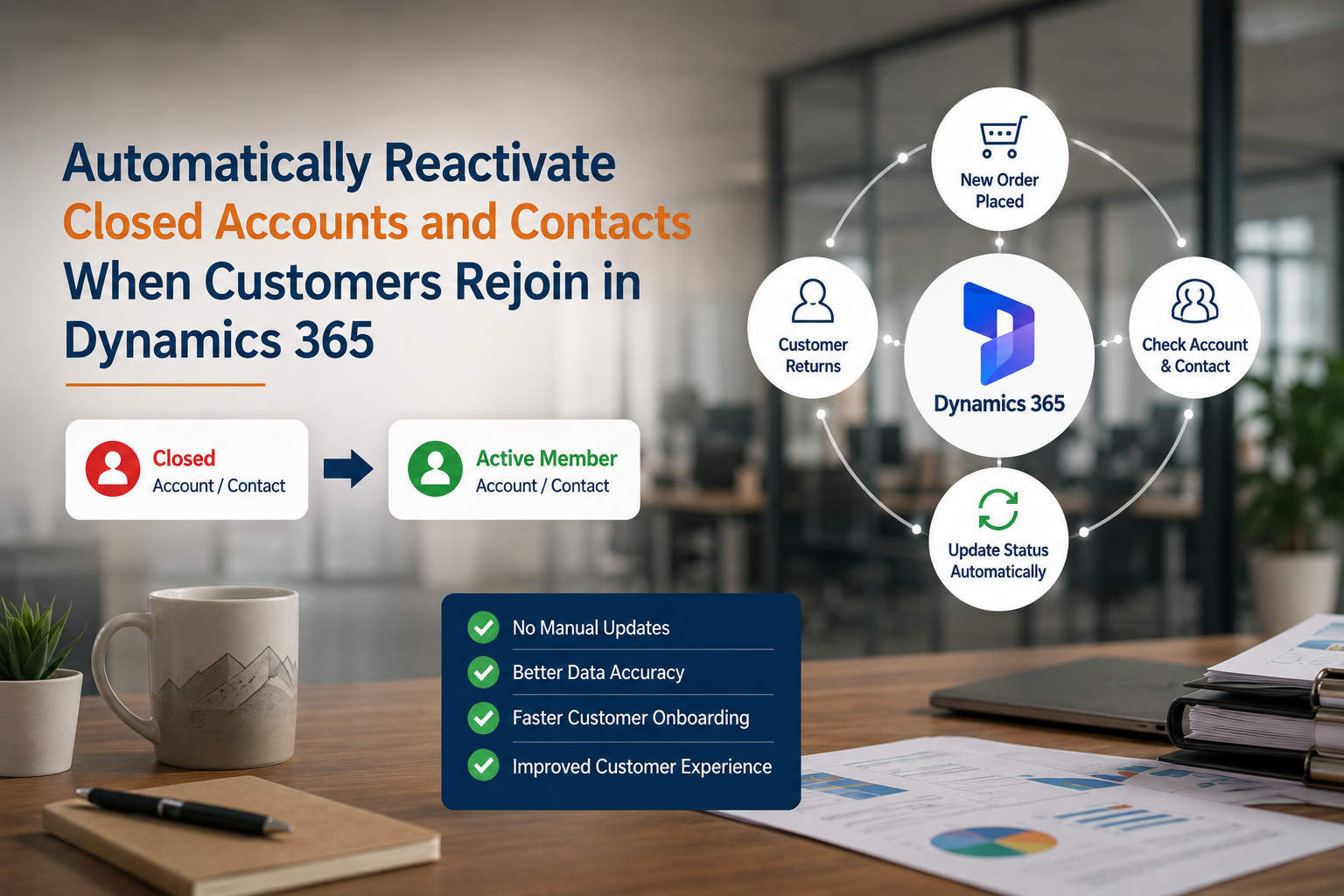
Automatically Reactivate Closed Accounts and Contacts When Customers Rejoin in Dynamics 365
Using Power Automate, closed Account and Contact records are automatically reactivated when a returning customer places a new Order.
This eliminates manual updates and ensures accurate customer records in Dynamics 365.
❓ Business Challenge
Previously, when a customer rejoined after being marked as inactive, CRM users had to:
- Search for the existing Account
- Check whether the Account was Closed
- Manually reactivate the Account
- Search for the related Contact
- Manually reactivate the Contact
- Continue processing the membership or order
This process increased administrative effort and introduced the possibility of missed updates.
🔹 Step 1: Create the Reactivation Flow
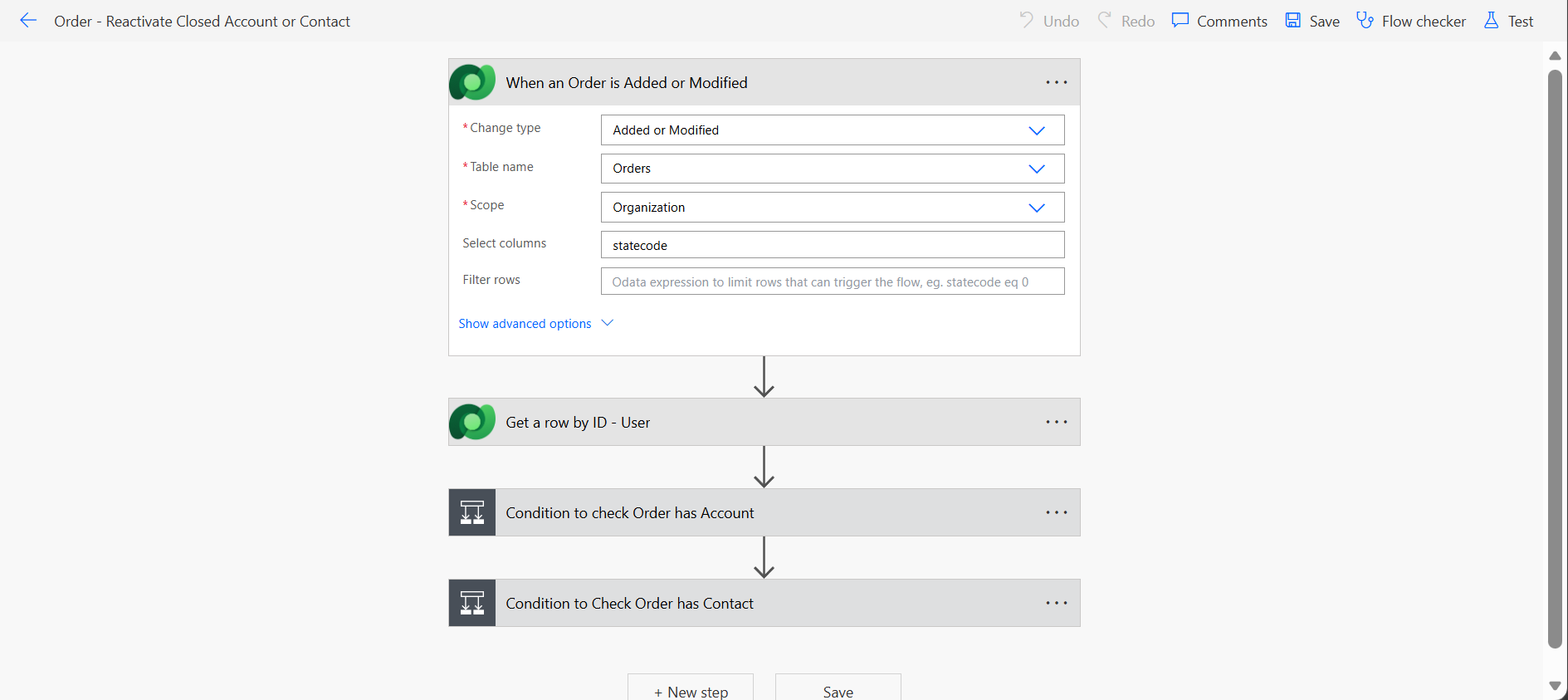
The Power Automate flow is configured to trigger whenever an Order is added or modified in Dynamics 365.
Once triggered, the flow validates whether the Order contains an Account or Contact and retrieves the related records.
The automation then checks the status of those records and determines whether reactivation is required.
🔹 Step 2: Existing Account is in Closed Status
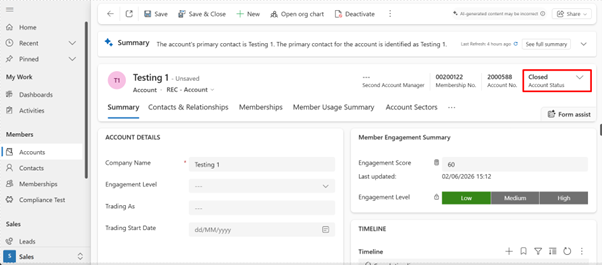
Before placing a new Order, the customer's Account is currently marked as Closed.
In traditional CRM processes, users would need to manually locate and reactivate the Account before continuing membership-related activities.
This manual process can become inefficient when handling a large number of returning customers.
🔹 Step 3: Existing Contact is in Closed Status
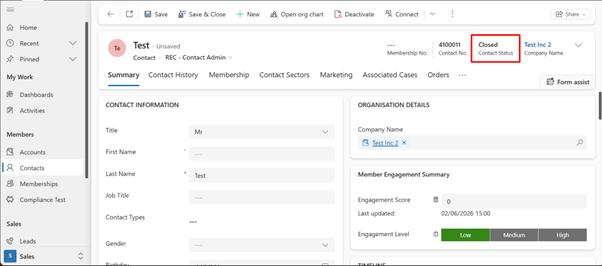
The related Contact record is also marked as Closed.
Without automation, users must manually update the Contact status whenever a former member returns and rejoins.
This increases operational effort and creates opportunities for human error.
🔹 Step 4: Returning Customer Places a New Order
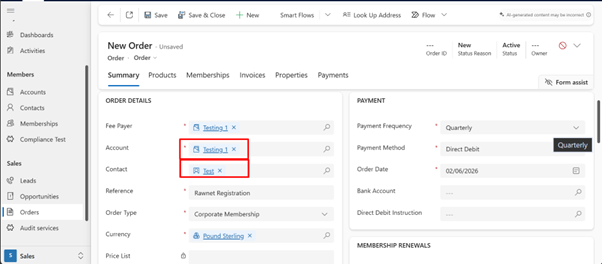
A returning customer places a new membership Order in Dynamics 365.
The Order contains references to the existing Account and Contact records.
This action automatically triggers the Power Automate flow and begins the reactivation process.
🔹 Step 5: Account and Contact Automatically Reactivated
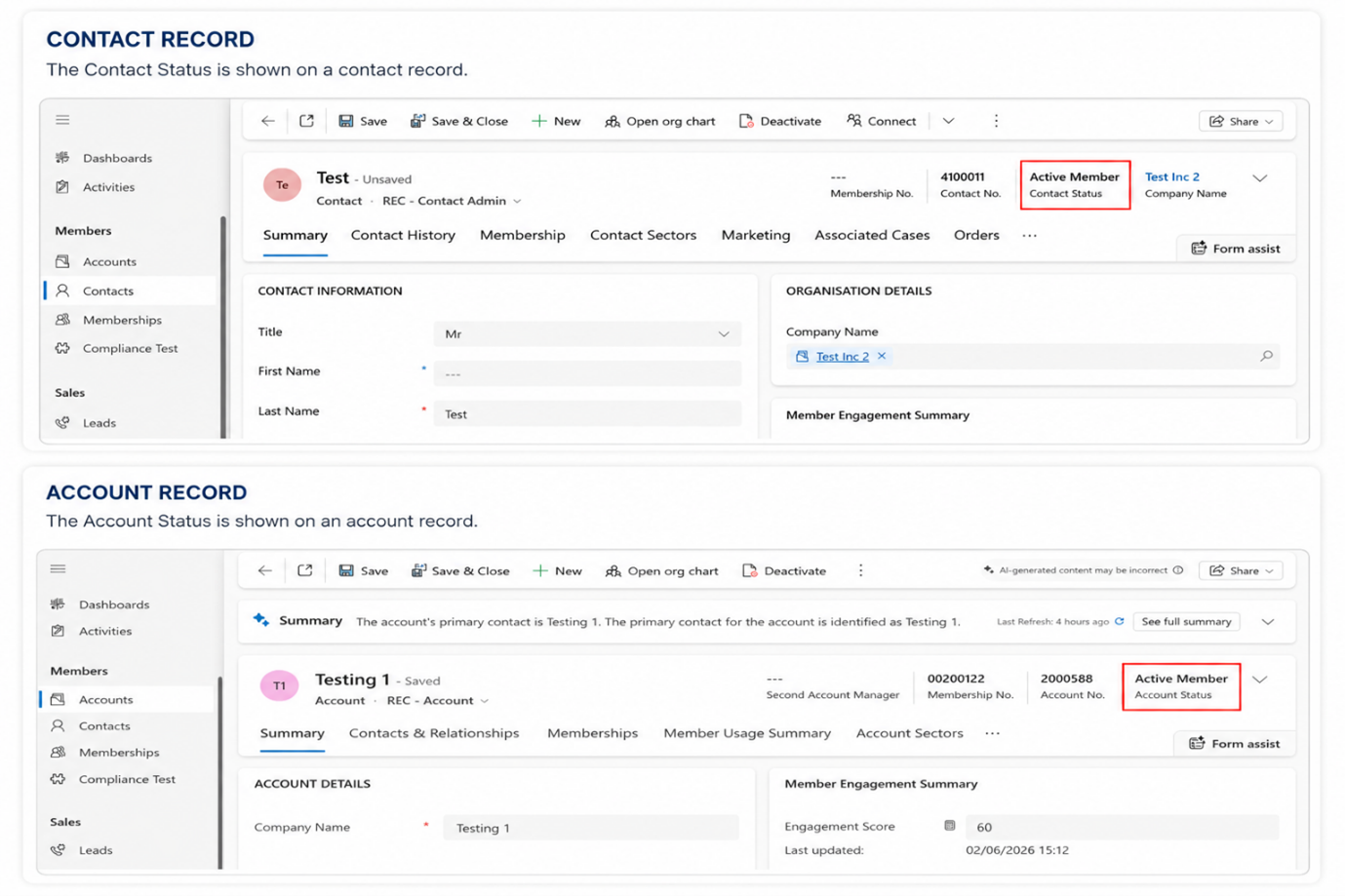
The flow detects that the Account and Contact are currently in Closed status.
Based on the validation logic, both records are automatically updated to Active Member status.
- Account Status → Active Member
- Contact Status → Active Member
- No manual intervention required
- Instant customer reactivation
🧪 Testing the Solution
- Create or identify an Account that is currently marked as Closed.
- Create or identify a Contact that is currently marked as Closed.
- Create a new Order linked to the existing Account and Contact.
- Allow the Power Automate flow to execute.
- Verify that both records are automatically updated to Active Member.
✅ Final Result
- Automatic reactivation of returning customers
- No manual Account updates required
- No manual Contact updates required
- Improved CRM data accuracy
- Reduced administrative effort
- Faster membership processing
- Better customer experience
- Consistent customer lifecycle management
Conclusion
Automating customer reactivation with Power Automate and Dynamics 365 reduces manual effort by automatically reactivating closed Accounts and Contacts when a new Order is created. This ensures accurate customer records and a seamless experience for returning members.