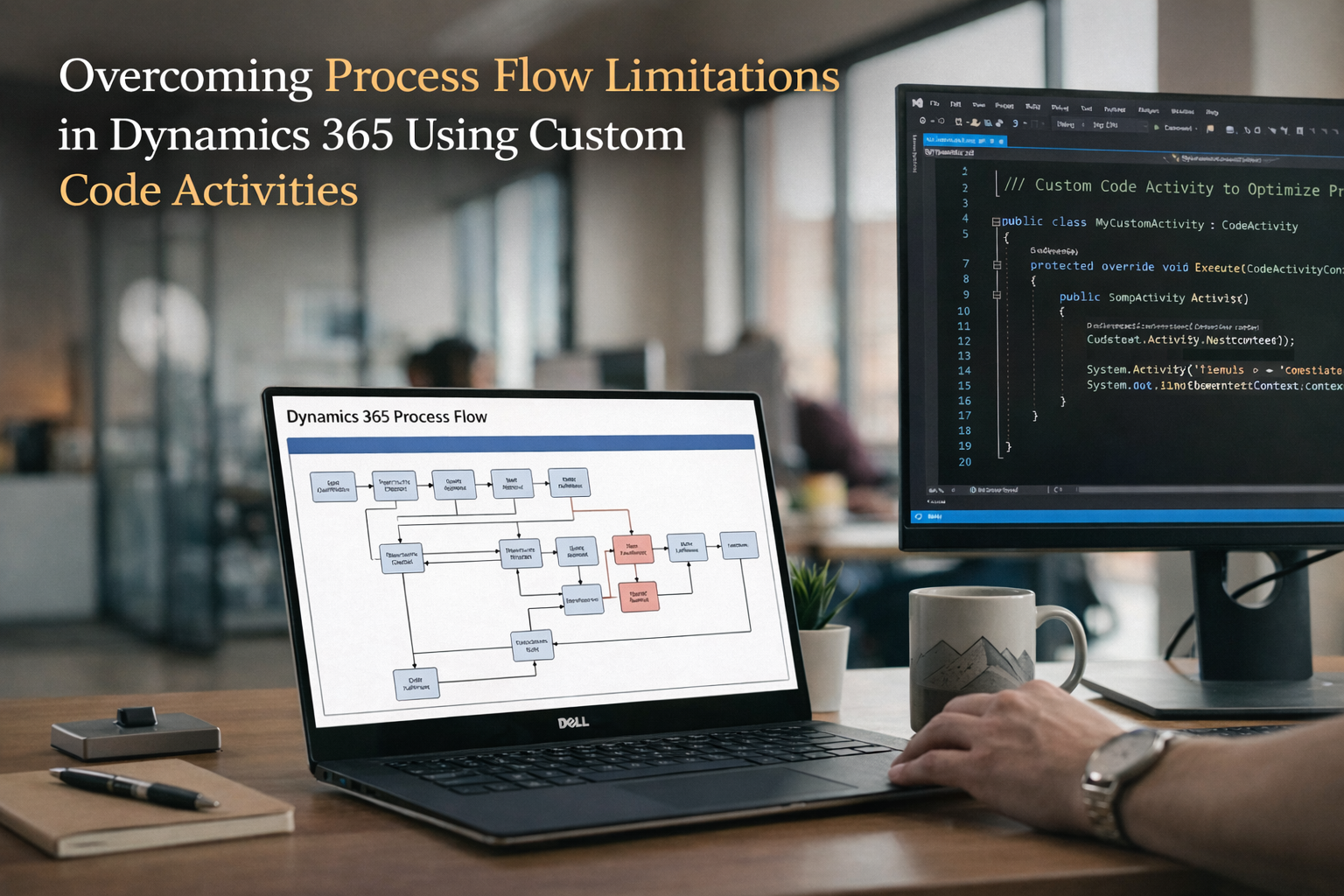
Overcoming Process Flow Limitations in Dynamics 365 Using Custom Code Activities
In Dynamics 365, the Process Order functionality is often used to automate membership creation. However, in some cases, it may create duplicate membership records instead of updating existing ones.
In this blog, we will walk through a real-time solution where we modified the process and implemented a plugin to ensure existing memberships are updated instead of creating duplicates.
❗ Problem Overview
- Duplicate Membership records were created
- Data inconsistency increased
- Business logic was not aligned with requirement
🔹 Step 1: Process Order Trigger
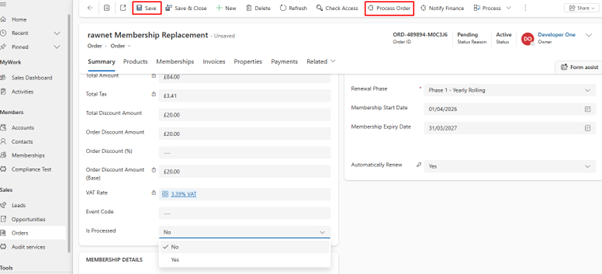
The user updates the Order record and clicks the Process Order button.
This button is not a simple UI action — it internally triggers a Dynamics 365 Process (Workflow).
This process is responsible for handling membership creation logic.
🔹 Step 2: Issue - New Membership Created
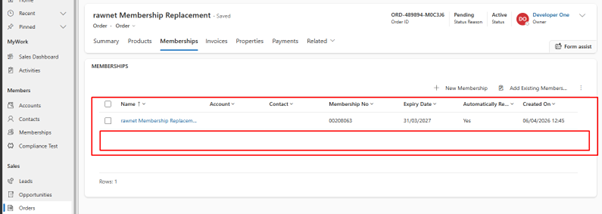
After clicking Process Order, a new Membership record is created.
Even when an existing membership is already linked, the system does not check it.
👉 Result: Duplicate Membership Records
🔹 Step 3: Identify Backend Process
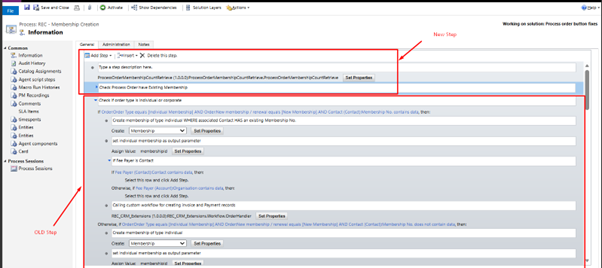
The Process Order button is backed by a Workflow Process.
Inside the process, it was directly creating a Membership without validation.
✅ Solution:
- Add validation step
- Check if Membership already exists
- Control creation logic
🔹 Step 4: Custom Plugin Implementation
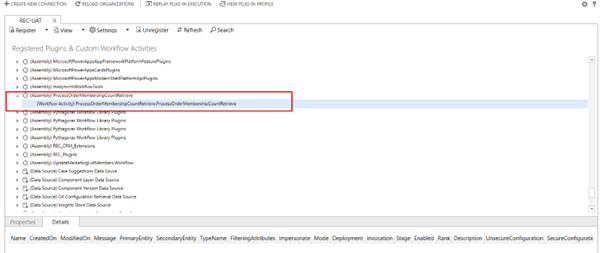
A custom workflow activity plugin was created and registered.
Plugin Responsibilities:
- Retrieve Membership records based on Order
- Count existing records
- Return boolean (Has Membership)
This plugin is used inside the workflow condition.
🔹 Step 5: Plugin Code Logic
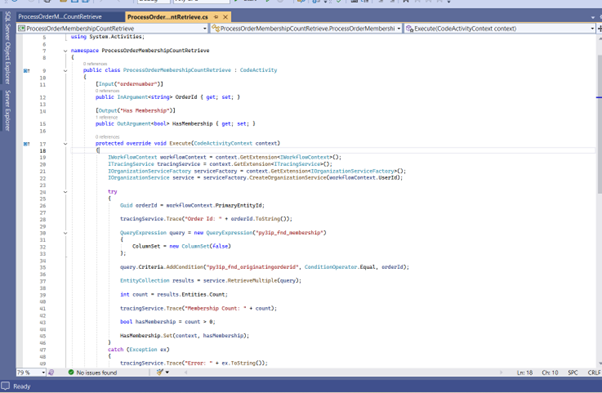
The plugin executes a query on Membership entity using Order ID.
- If count > 0 → Membership exists
- If count = 0 → No membership
Based on this result, the workflow decides:
- Update existing Membership
- Create new Membership only if required
✅ Final Result
- Existing Membership is updated ✔
- No duplicate records ✔
- Process Order works correctly ✔
- Improved data consistency ✔
By enhancing the existing workflow and introducing a custom plugin, we successfully prevented duplicate membership creation.
This approach ensures that business logic is respected and data integrity is maintained, which is critical for CRM systems.
This solution can be reused in similar scenarios where duplicate record prevention is required.