
Automate File Transfer from One Entity to Another Entity In Dynamics 365
Automate File Transfer from One Entity to Another Entity In Dynamics 365 using Power Automate can significantly improve user productivity and streamline business processes.
Instead of manually retrieving documents, users can trigger a flow and download files instantly.
In this blog, we will walk through a complete step-by-step implementation of a Download Flow.
❓ Why Use Download Flow?
- Automates document retrieval
- Reduces manual effort
- Improves user experience
- Ensures faster access to files
🔹 Step 1: Create Automated Cloud Flow
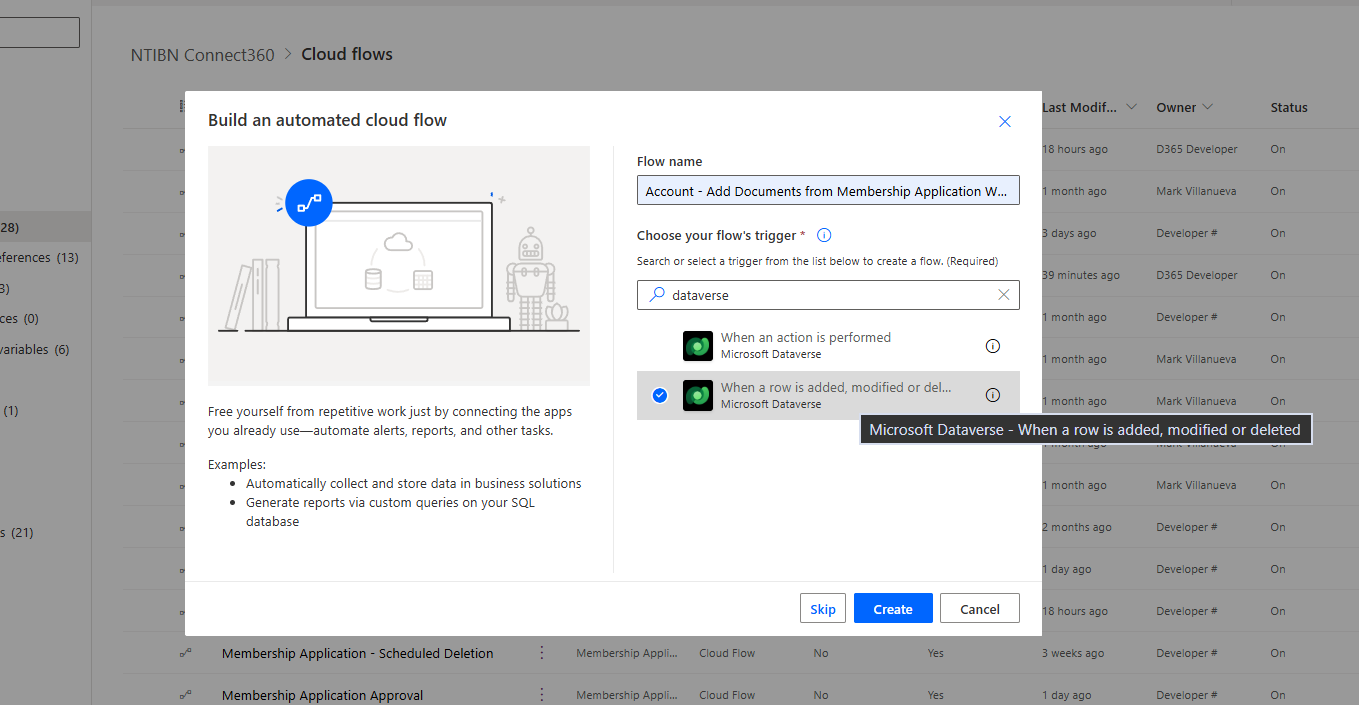
Navigate to Power Automate and select Automated Cloud Flow.
Choose the trigger "When a row is added, modified or deleted" from Dataverse.
🔹 Step 2: Configure Trigger for Account
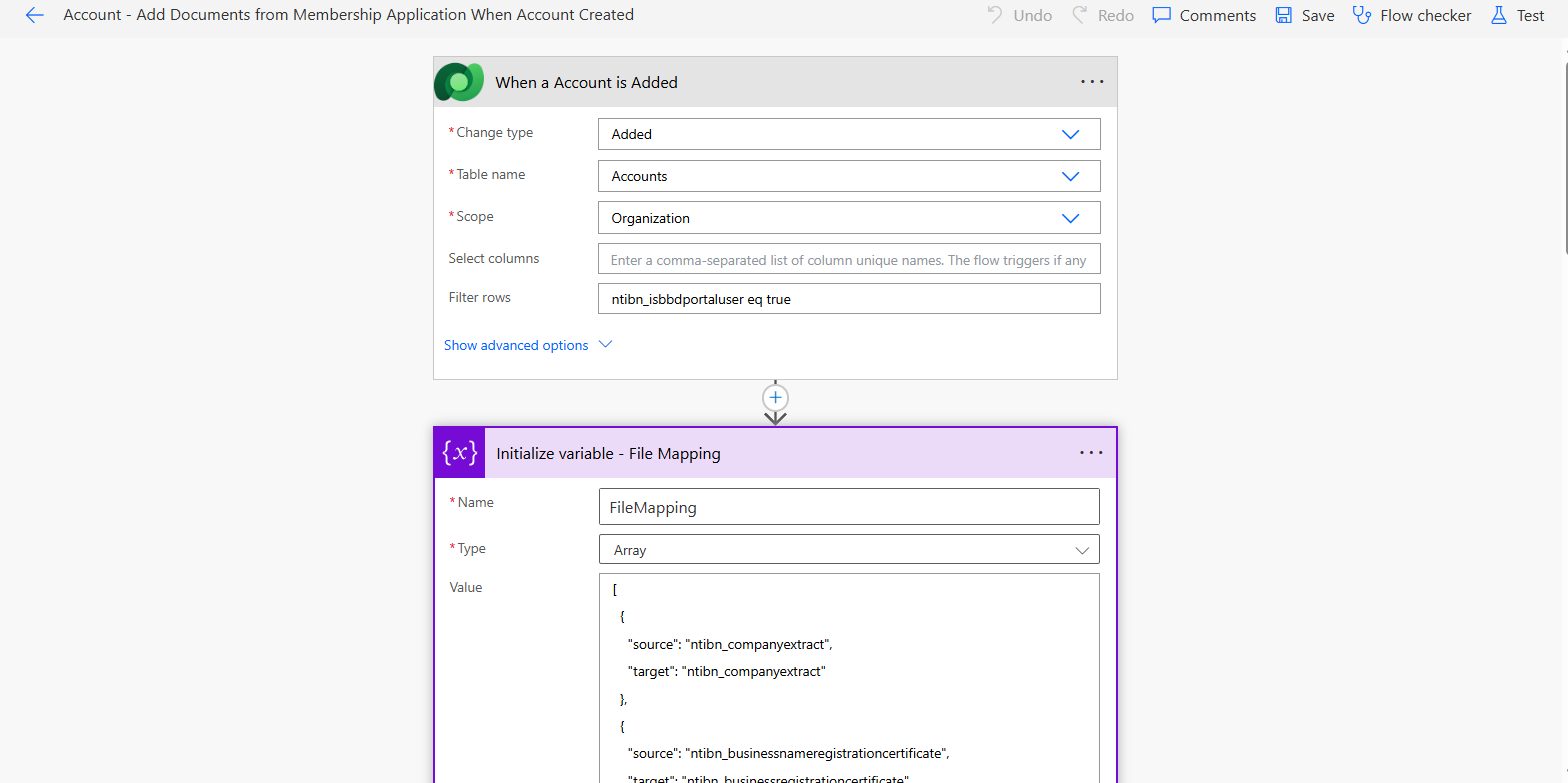
Set the trigger with the following configuration:
- Table: Accounts
- Change Type: Added
- Scope: Organization
This ensures the flow runs whenever a new Account is created.
🔹 Step 3: Initialize File Mapping Variable
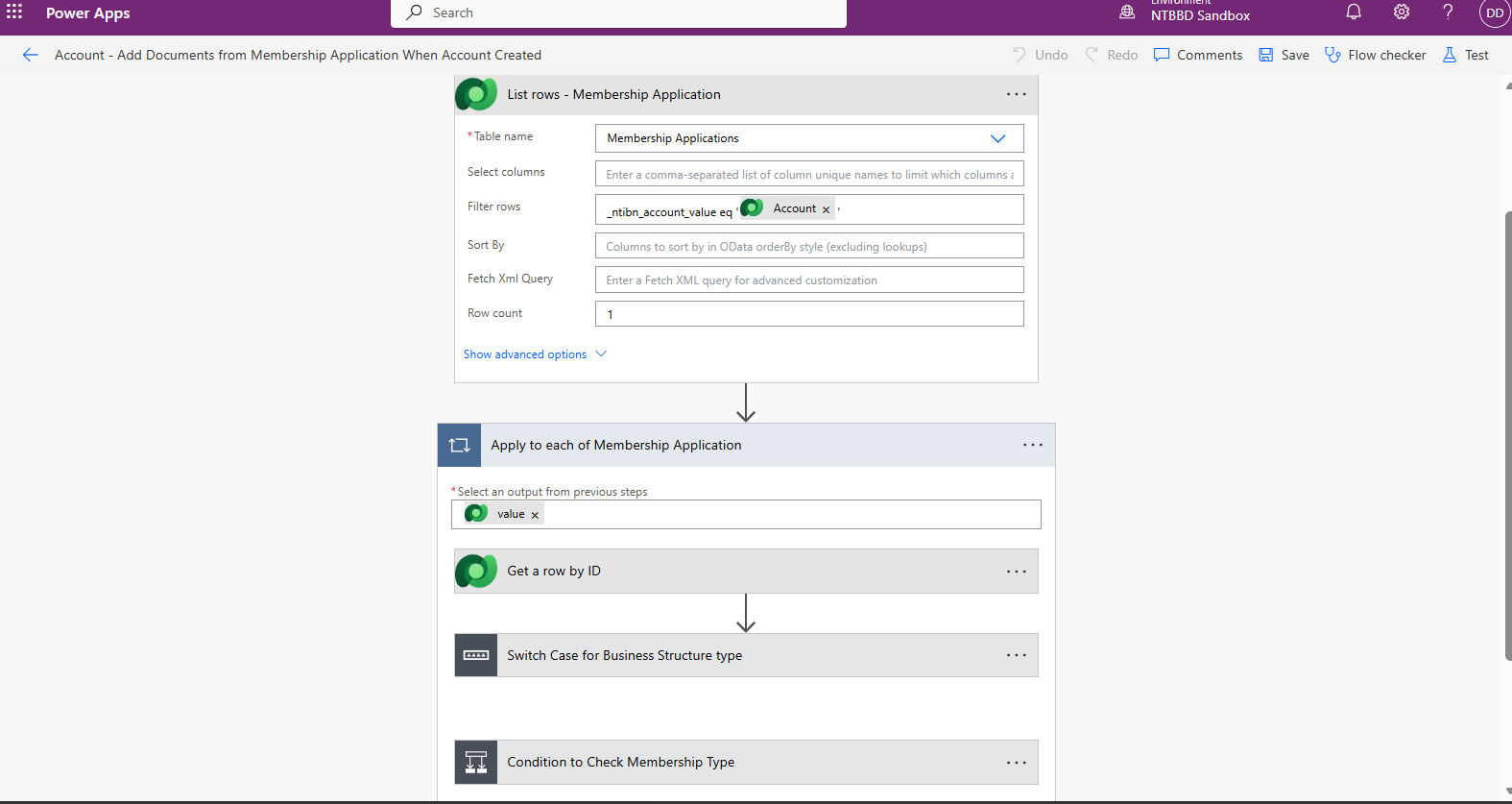
Initialize an Array Variable to store file mappings between Membership Application and Account.
This helps dynamically handle multiple file fields without repeating actions.
🔹 Step 4: Retrieve Membership Application Records
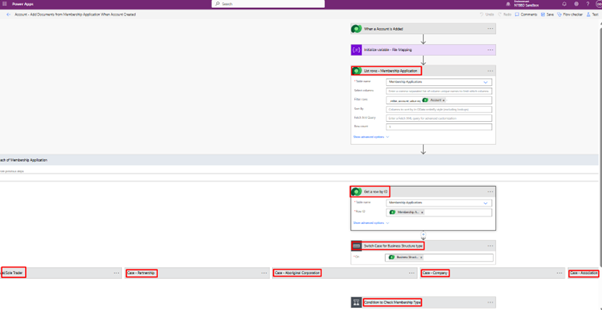
Use List Rows action to fetch Membership Application records related to the Account.
Apply filter using Account lookup to get the correct record.
🔹 Step 5: Apply Conditions and Business Logic
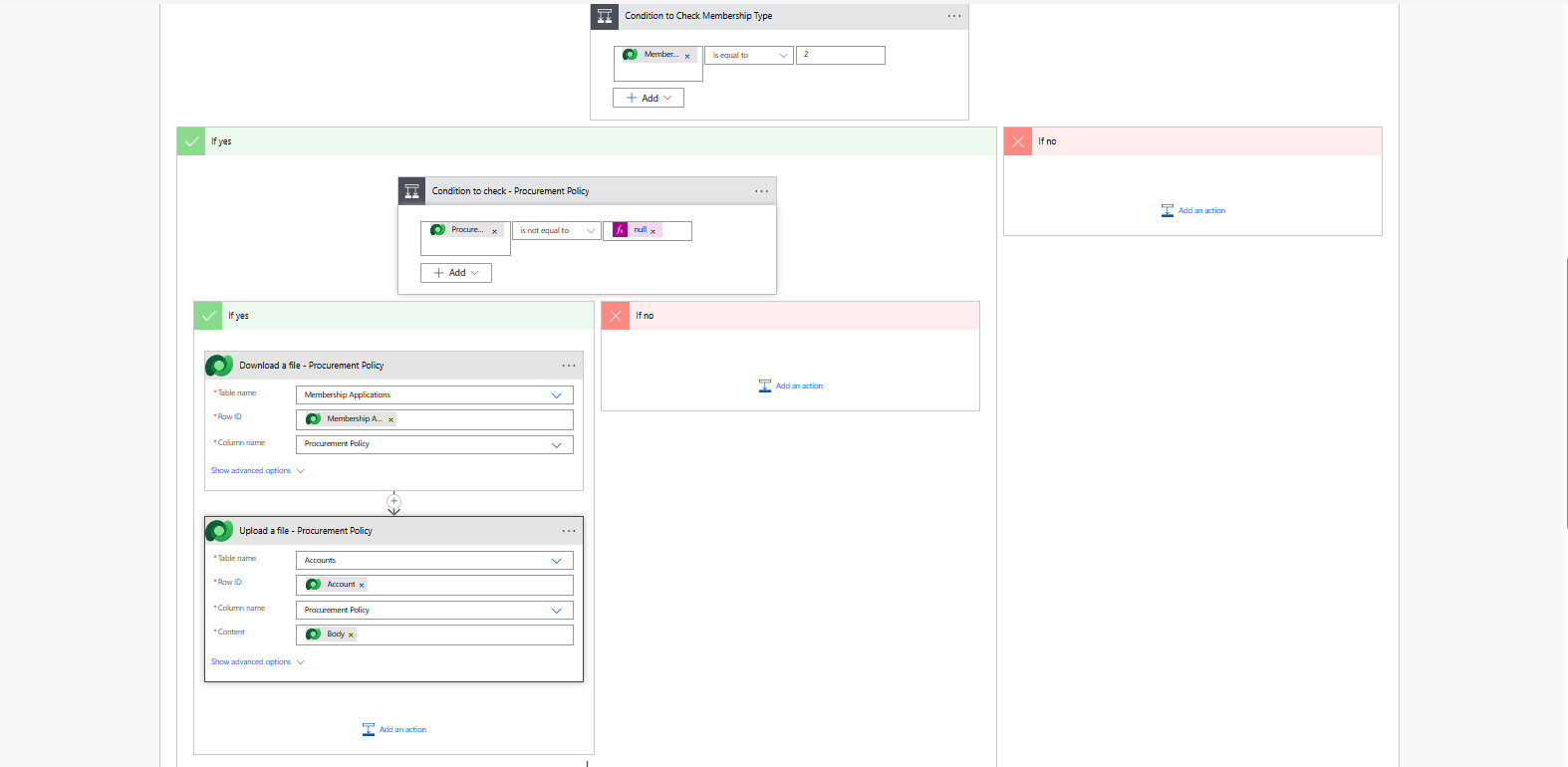
Add conditions based on:
- Membership Type
- Business Structure
- File availability (not null)
This ensures files are processed only when required.
🔹 Step 6: Validate and Process Multiple Documents
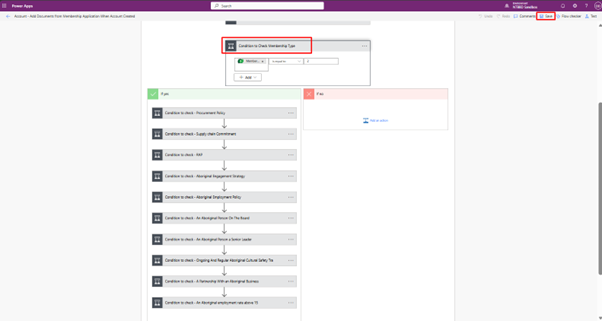
Add multiple conditions to check whether each document field in the Membership Application contains data.
For each document (e.g., Procurement Policy, Safety Commitment, etc.), validate if the file is not null.
- If file exists → proceed with download and upload
- If file is empty → skip the process
This approach ensures only available documents are transferred, avoiding errors and unnecessary processing.
🧪 Testing the Flow (Real-Time Scenario)
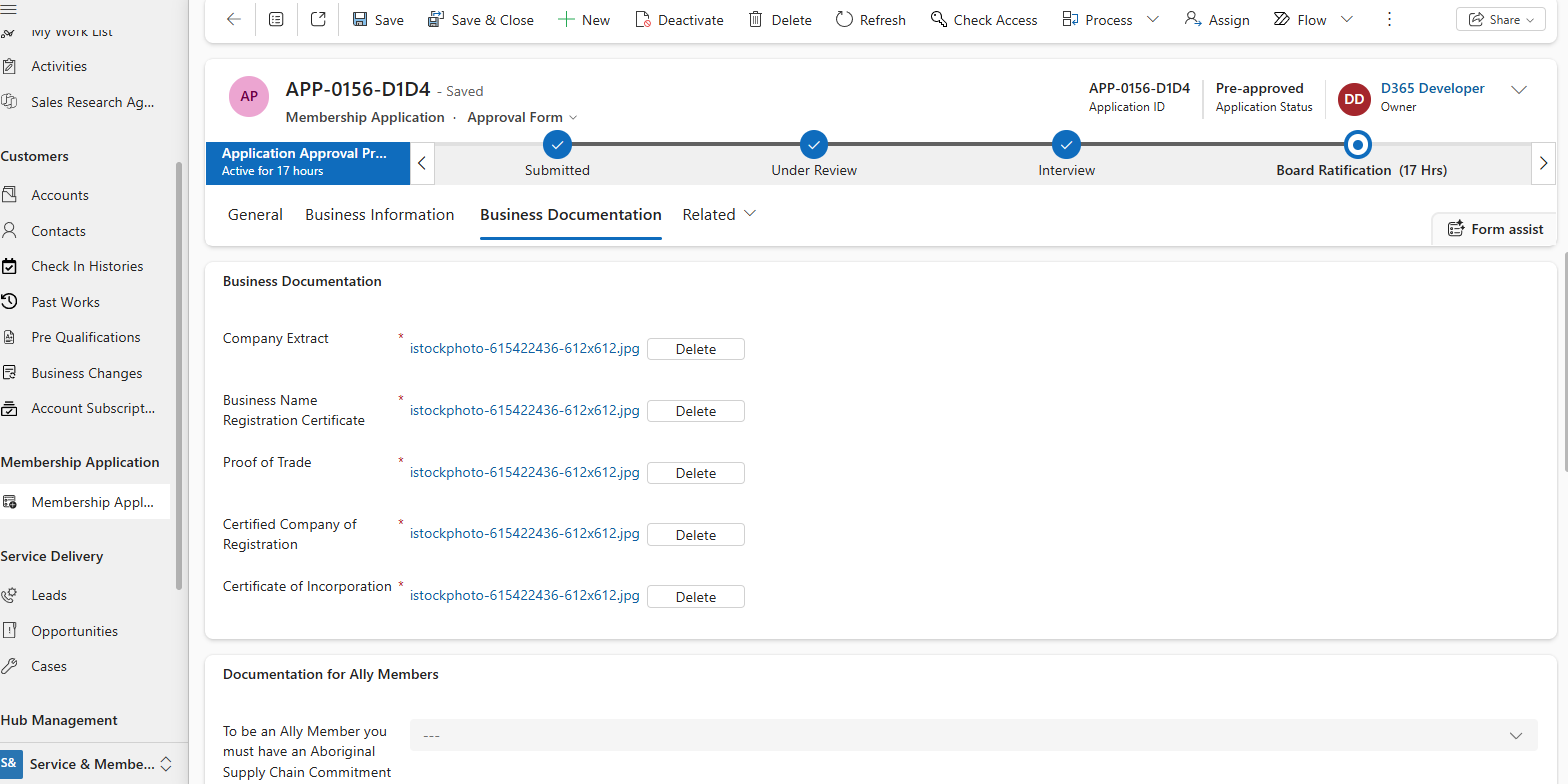
Upload Documents in Membership Application
In the Membership Application form, upload required documents such as: Company Extract, Business Registration Certificate, Proof of Trade, etc.
These files act as the source for the flow.
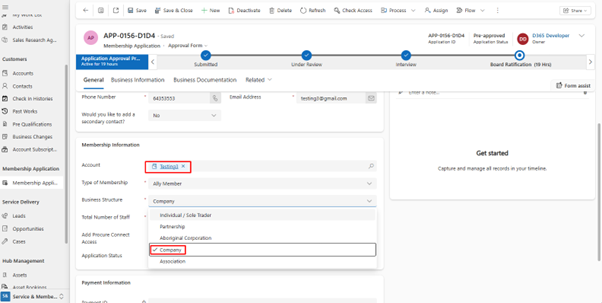
Link Account to Membership
Ensure the Membership Application is linked to an Account record.
This relationship is used in the flow to identify where files should be transferred.
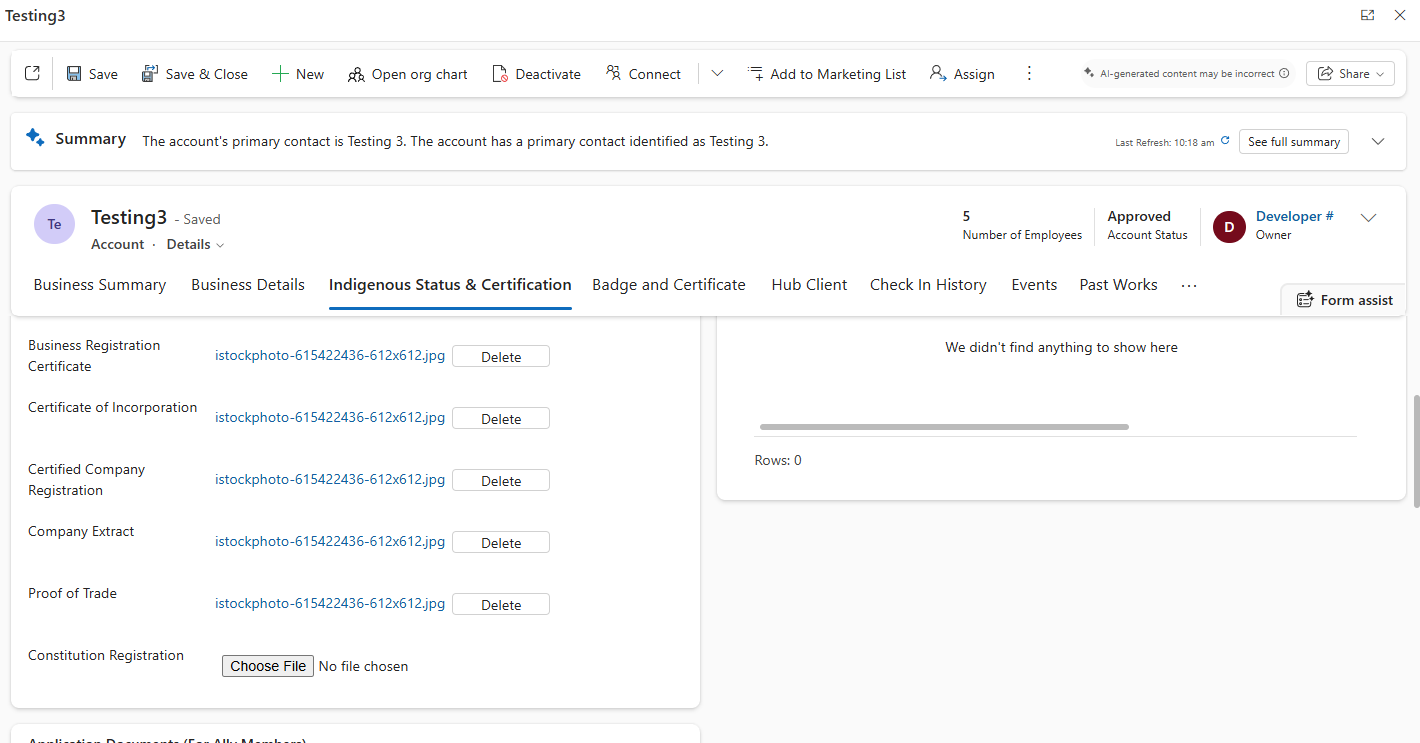
Files Automatically Transferred to Account
Once the Account is created, the flow is triggered automatically.
- Files are downloaded from Membership Application
- Files are uploaded to the Account entity
- All mapped documents appear in the Account form
This confirms the automation is working successfully.
✅ Final Result
- Documents are automatically copied from Membership Application to Account
- No manual file upload required
- Consistent document management across entities
- Improved data accuracy and process efficiency
Automating document transfer between entities in Dynamics 365 using Power Automate significantly reduces manual effort and ensures consistency in data handling.
By implementing conditional logic, file validation, and dynamic mapping, this solution efficiently handles multiple documents without duplication or errors.
This approach not only improves operational efficiency but also enhances scalability, making it ideal for real-world CRM implementations.