Automatic Attendance Status Update in Dynamics 365 Using Plugin
Managing student attendance manually can be time-consuming and error-prone. To simplify this process, we can automate attendance status updates using a Dynamics 365 Plugin.
In this article, we will see how to automatically update a student's attendance status as Present or Absent based on whether the Out Time is provided or not.
1. Creating the Plugin Project
First create a Class Library project in Visual Studio and add the required Dynamics 365 SDK references. Then create a plugin class that implements the IPlugin interface.
This plugin ensures the system automatically updates the attendance status whenever a record is created or updated.
The logic used inside the plugin:
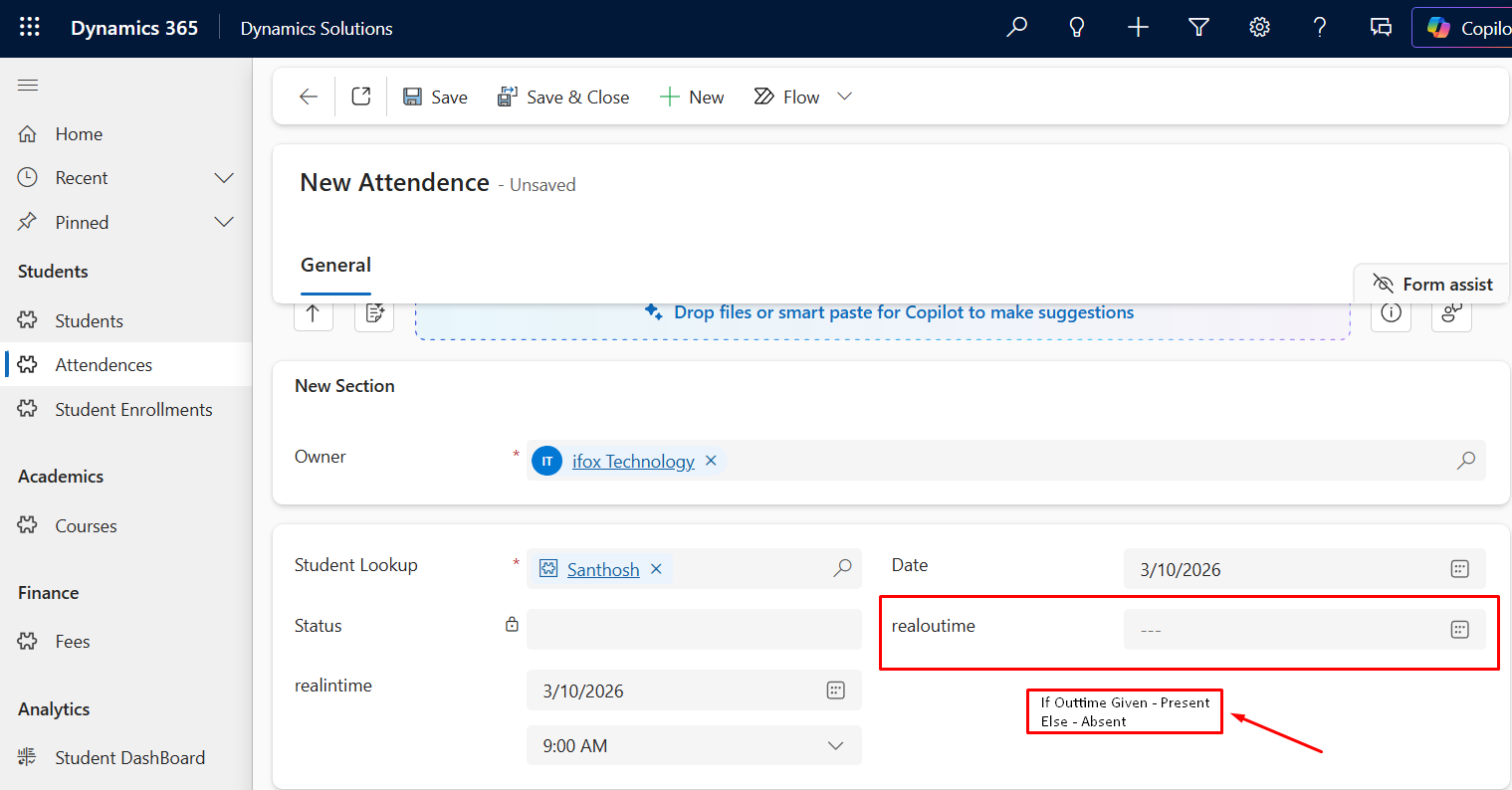
- If Out Time has a value → Status = Present
- If Out Time is empty → Status = Absent
2. Registering the Plugin in Dynamics 365
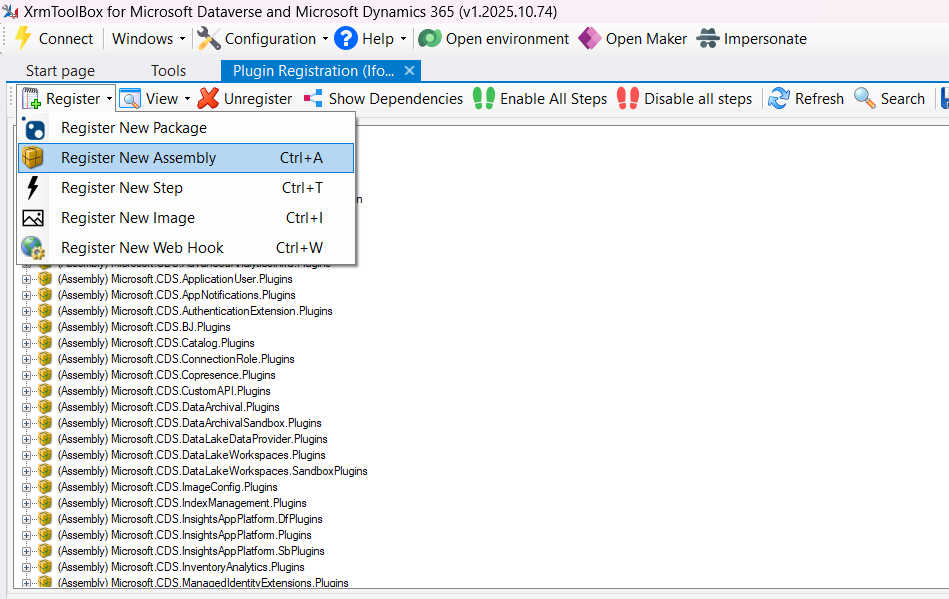
Once the code is ready, build the project and register the plugin using the XrmToolBox Plugin Registration Tool.
- Open XrmToolBox
- Open Plugin Registration Tool
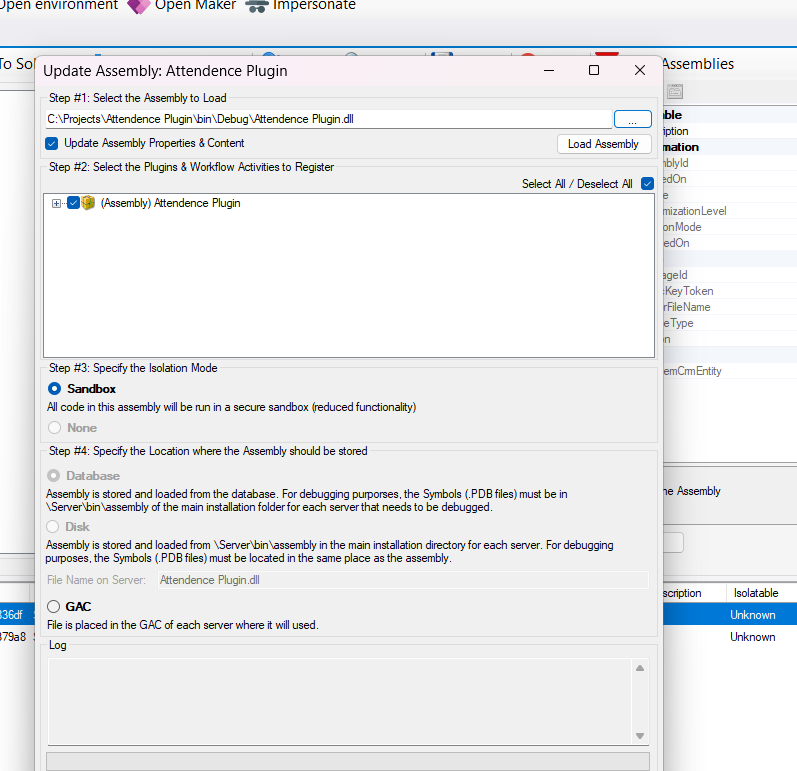
- Click Register New Assembly
- Select the compiled DLL
3. Adding a Plugin Step
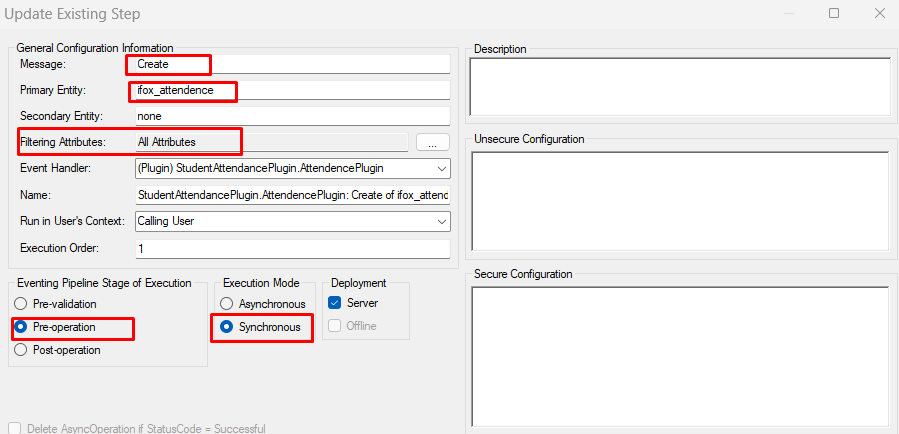
After registering the assembly, we need to create a Plugin Step so the system knows when the plugin should execute.
Configuration:
- Message → Create
- Primary Entity → Attendance
- Pipeline Stage → Pre-Operation
- Execution Mode → Synchronous
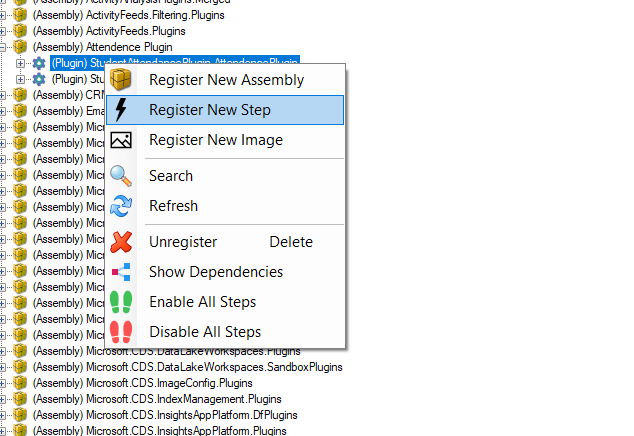
Registering New Step
4. Build Code And Updating Plugin Assembly
After making changes to the plugin code, rebuild the project in Visual Studio and update the plugin assembly in Dynamics 365.
The Plugin Registration Tool allows developers to update an existing assembly without re-registering the plugin again.
Steps:
- Click Update on the existing Plugin Assembly
- Select the updated DLL file from the build folder
- Upload the new assembly
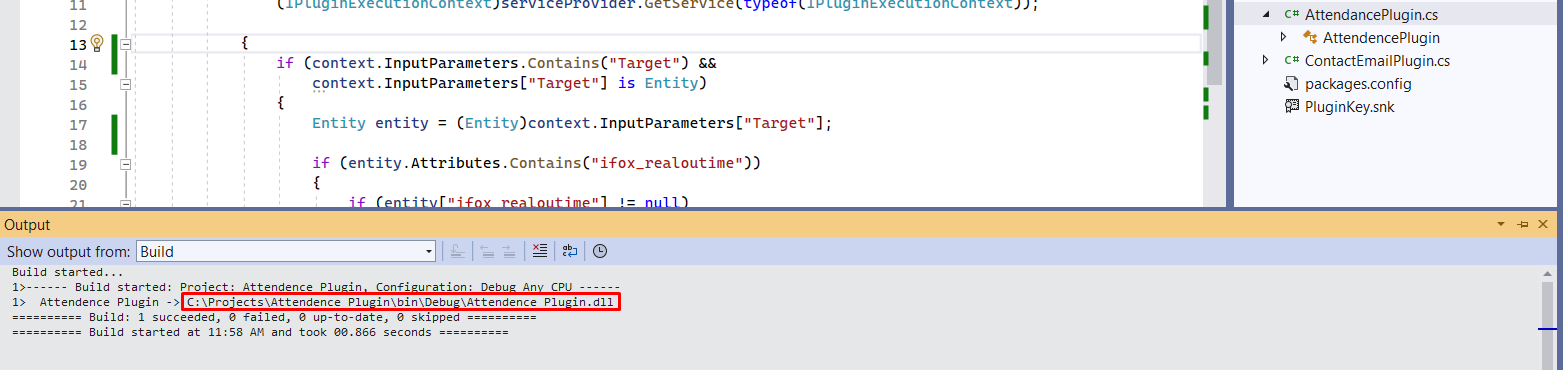
Build Plugin Project in Visual Studio
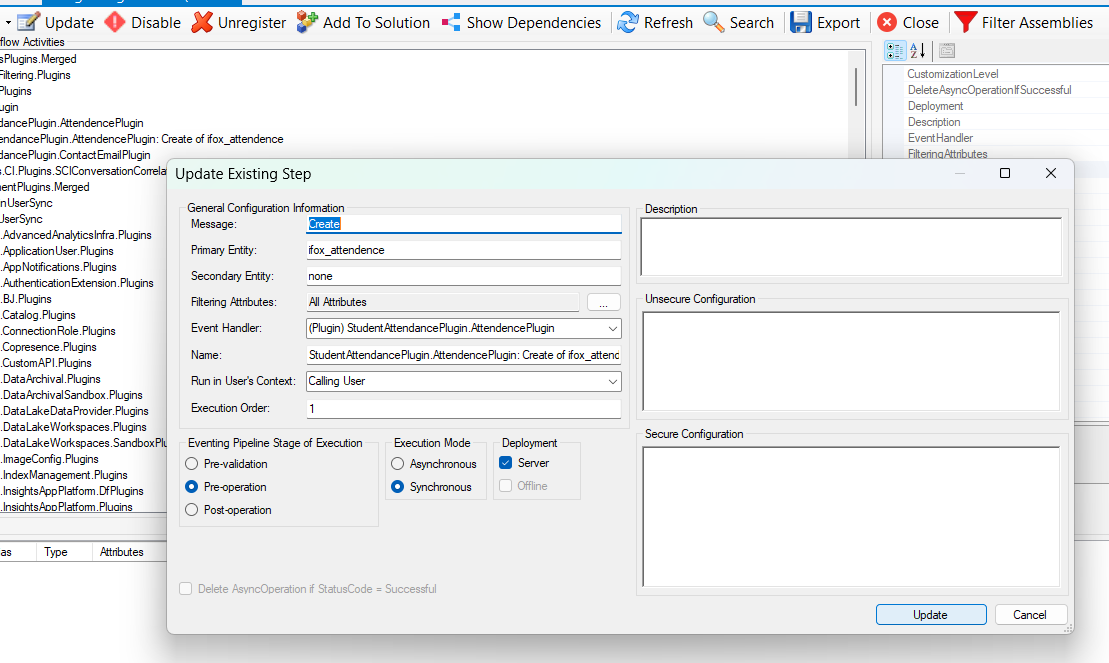
Updating Plugin Assembly in Plugin Registration Tool
5. Testing the Plugin
Now test the plugin inside Dynamics 365.
Steps:- Navigate to Attendances
- Create a new record
- Fill fields like Student, Date, In Time and Out Time
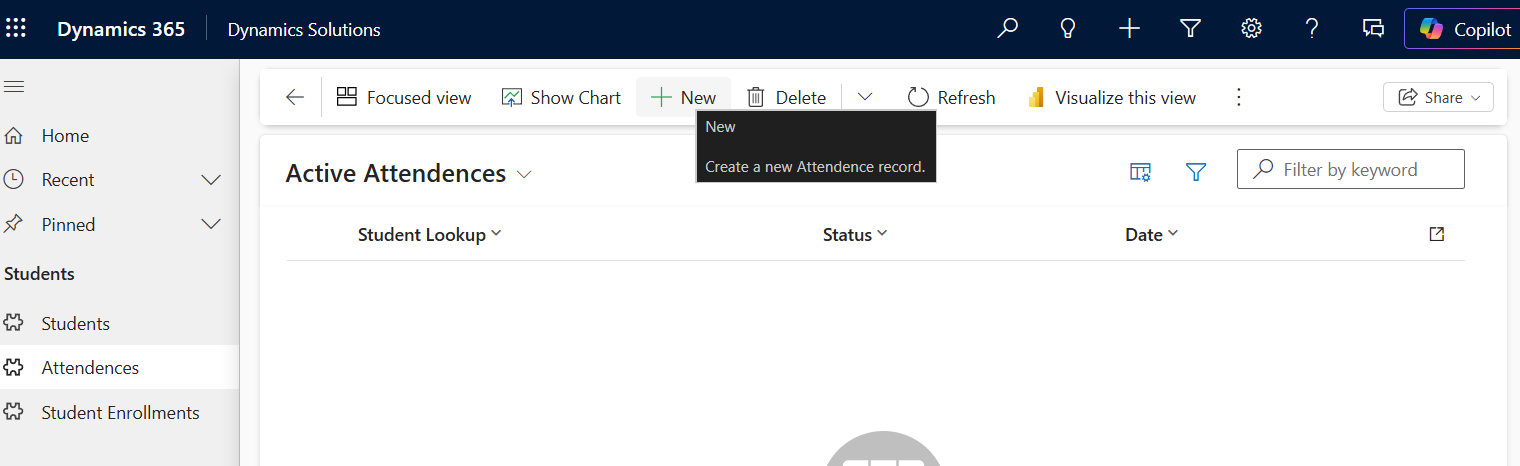
Creating a New Attendance Record
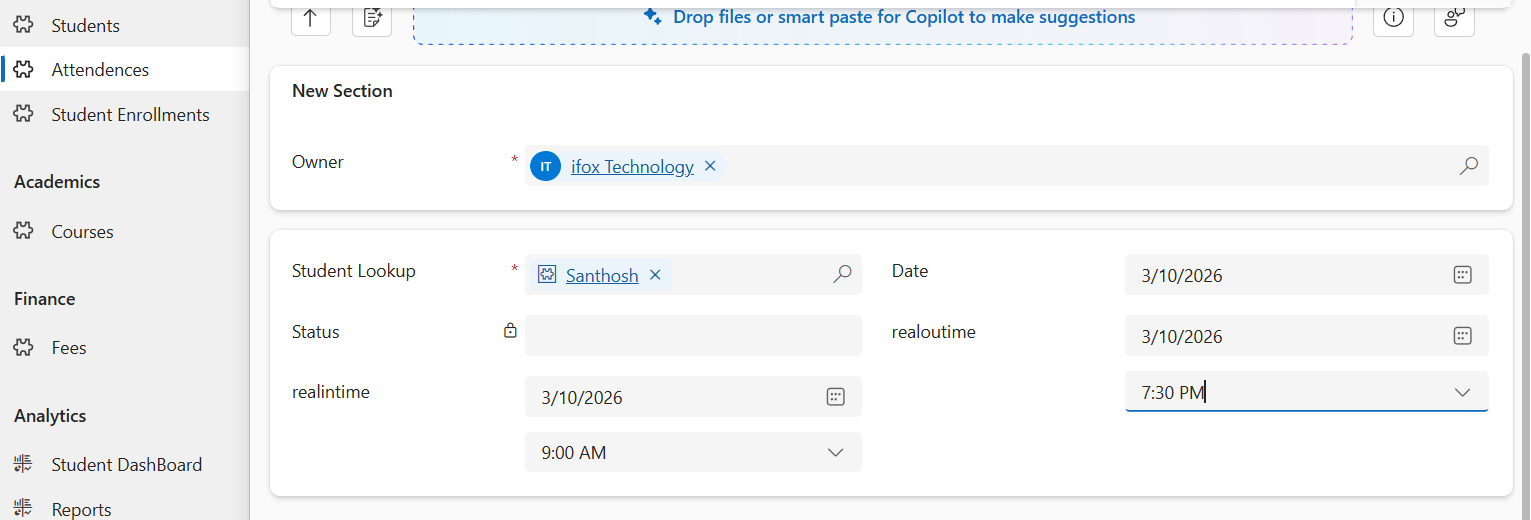
6. Automatic Attendance Status Update
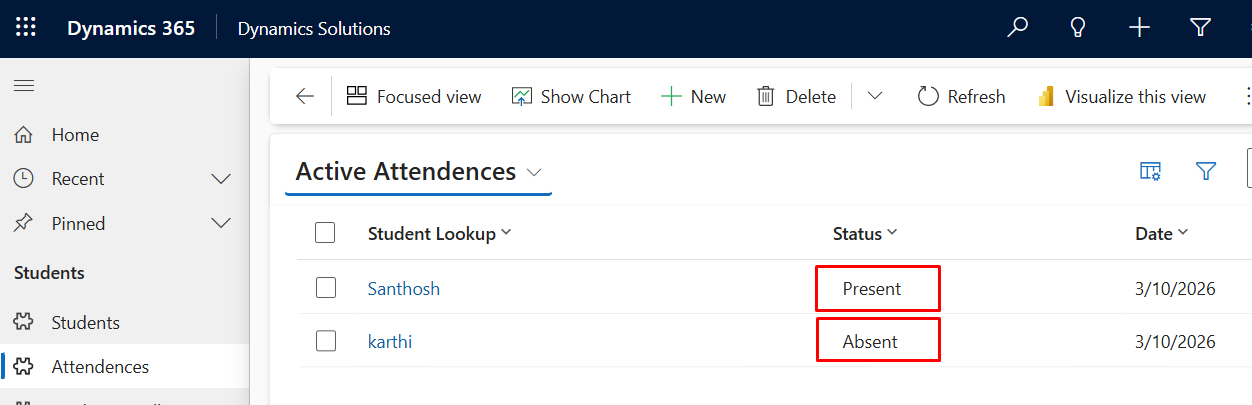
The plugin automatically sets the attendance status based on the Out Time field.
Case 1: Out Time Provided
- Out Time filled
- Status = Present
Case 2: Out Time Not Provided
- Out Time empty
- Status = Absent
Benefits
- Eliminates manual updates
- Reduces human errors
- Ensures consistent attendance tracking
- Automates business logic
Conclusion
Automating business logic using Dynamics 365 Plugins can significantly improve system efficiency and reduce manual work. In this implementation, the plugin automatically determines the student's attendance status based on the availability of the Out Time field, ensuring that the correct status is applied without requiring user intervention.
This approach helps organizations maintain accurate attendance records while minimizing human errors. Since the logic runs within the server-side pipeline, the system ensures that the attendance status is always updated consistently whenever a record is created or modified.
One of the major advantages of using plugins is that the automation runs seamlessly in the background, allowing users to focus on their tasks instead of manually updating system fields. This not only improves productivity but also ensures data reliability across the system.
With further enhancements, this solution can be extended to include advanced attendance management features such as late arrival detection, half-day calculations, attendance analytics, and automated notifications for administrators or students.
By leveraging Dynamics 365 customization capabilities like Plugins, organizations can build powerful automation solutions that streamline daily operations and enhance overall system usability.